Introduction (परिचय)
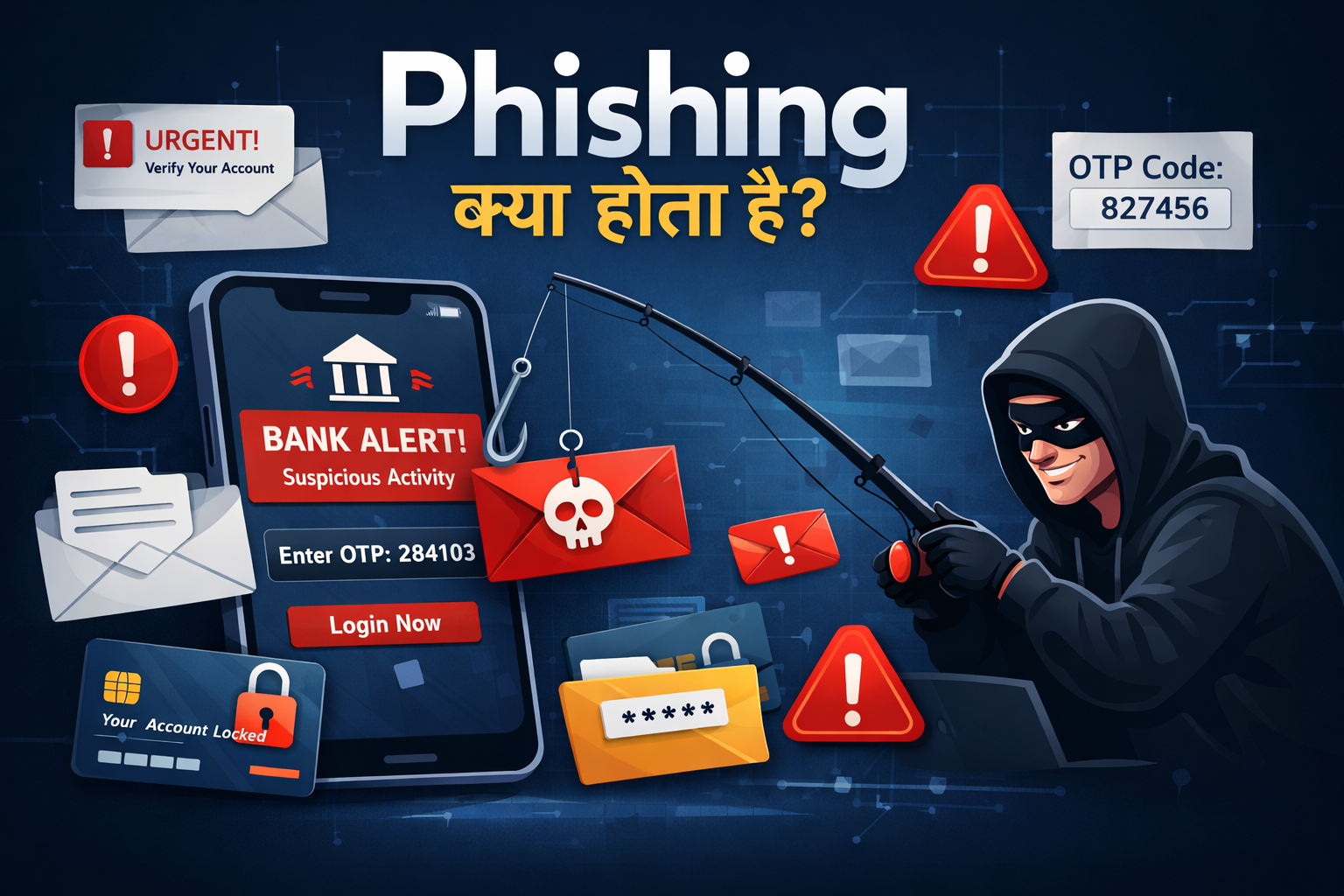
Phishing क्या होता है आज के Digital समय में Internet हमारी daily life का हिस्सा बन चुका है — online payments, shopping, banking, emails और social media सब कुछ online हो गया है। लेकिन जितनी तेजी से Internet का use बढ़ा है, उतनी ही तेजी से Cyber Frauds और Online Scams भी बढ़े हैं। इन्हीं cyber crimes में से एक सबसे common और dangerous attack है — Phishing।
Phishing इतना खतरनाक इसलिए है क्योंकि इसमें hackers technology से नहीं, बल्कि users की trust और जल्दबाज़ी का फायदा उठाते हैं। Fake SMS, emails, WhatsApp messages या calls इतने real लगते हैं कि normal users आसानी से trap में फँस जाते हैं — और उन्हें पता भी नहीं चलता कि वे scam का शिकार हो चुके हैं।
Phishing सबसे Common Cyber Attack क्यों है?
Phishing attacks आज सबसे ज्यादा इसलिए succeed करते हैं क्योंकि इसी वजह से phishing को दुनिया का No.1 cyber attack method माना जाता है।
- इसे execute करना आसान होता है
- Victims को पहचानना मुश्किल होता है
- Fake emails, SMS और calls बिल्कुल genuine जैसे दिखते हैं
- लोग urgency में बिना verify किए link पर click कर देते हैं
- Cyber security awareness अभी भी कम है
2025–2026 में Phishing Cases Record-High क्यों हुए? Recent years में phishing scams तेज़ी से बढ़े हैं, खासकर India में:
- Online payments और UPI usage बढ़ना
- Fake courier delivery messages
- Electricity bill disconnection threats
- Social media verification और account block scams
- AI tools की मदद से ultra-realistic scam messages बनना
India की cyber agency CERT-In के अनुसार, 2026 की शुरुआत में phishing complaints अब तक के highest level पर पहुँच चुकी हैं।
Users की Awareness क्यों सबसे ज़रूरी है? Phishing attacks advanced technology की वजह से नहीं, बल्कि users की छोटी-छोटी mistakes की वजह से successful होते हैं। अगर users suspicious messages पहचानना सीख जाएँ और basic precautions follow करें, तो लगभग 90% phishing attacks को रोका जा सकता है।
यही कारण है कि cyber security में सबसे बड़ा weapon कोई software नहीं, बल्कि Awareness और सही जानकारी है।
1. Phishing क्या होता है?
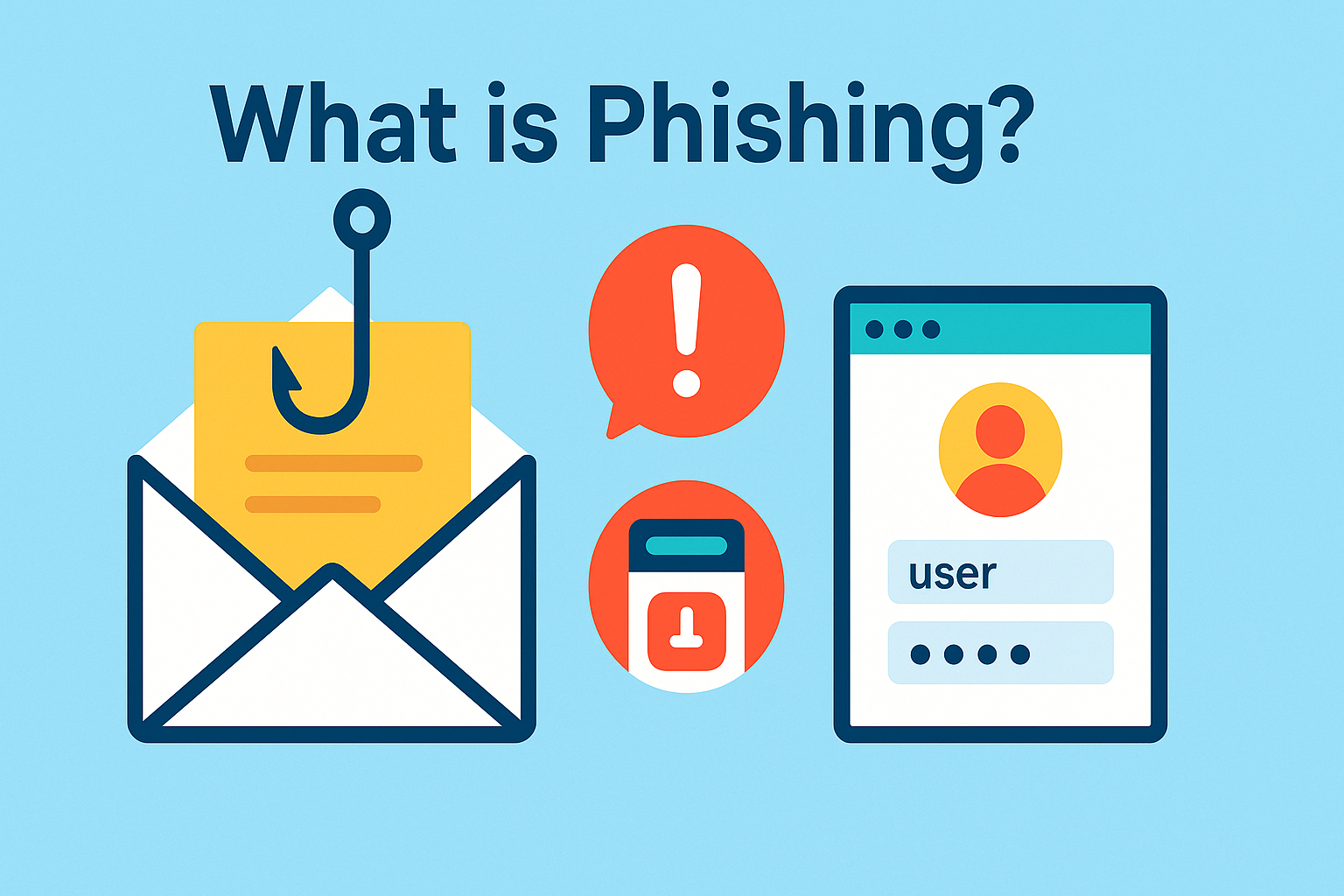
Phishing क्या होता है Phishing एक ऐसा cyber attack है जिसमें scammers fake SMS, email, phone call या website के ज़रिए users से उनकी personal या banking information चुराने की कोशिश करते हैं। इसमें attacker खुद को bank, courier company, government department या social media platform की तरह दिखाता है, ताकि user आसानी से उस पर भरोसा कर ले।
“Fake Communication to Steal Information” का Concept
Phishing attack में attackers आमतौर पर ये steps follow करते हैं:
- Bank, courier, electricity board या social media की नकल करते हैं
- बिल्कुल genuine जैसे दिखने वाले messages भेजते हैं
- Urgency create करते हैं, जैसे:
- “आपका account बंद हो जाएगा”
- “KYC update नहीं है”
- “Parcel delivery attempt failed” User panic में आकर link पर click कर देता है
Hackers Fake SMS, Emails या Calls कैसे भेजते हैं?
Attackers कई smart techniques use करते हैं, जैसे:
- Fake sender IDs
- Spoofed email addresses
- AI-generated professional-looking emails
- WhatsApp scam links
- Fake UPI collect requests
Example (Real Life) Imagine करें आपको एक SMS आता है:
“Your SBI account will be blocked today. Update KYC here: sb1-verify.in”
आप जल्दबाज़ी में link पर click करते हैं → आपसे login ID, password, ATM PIN या OTP मांगा जाता है →
Details भरते ही सारी information scammer के पास पहुँच जाती है। यही एक classic Phishing Attack होता है।
2. Phishing कैसे काम करता है?
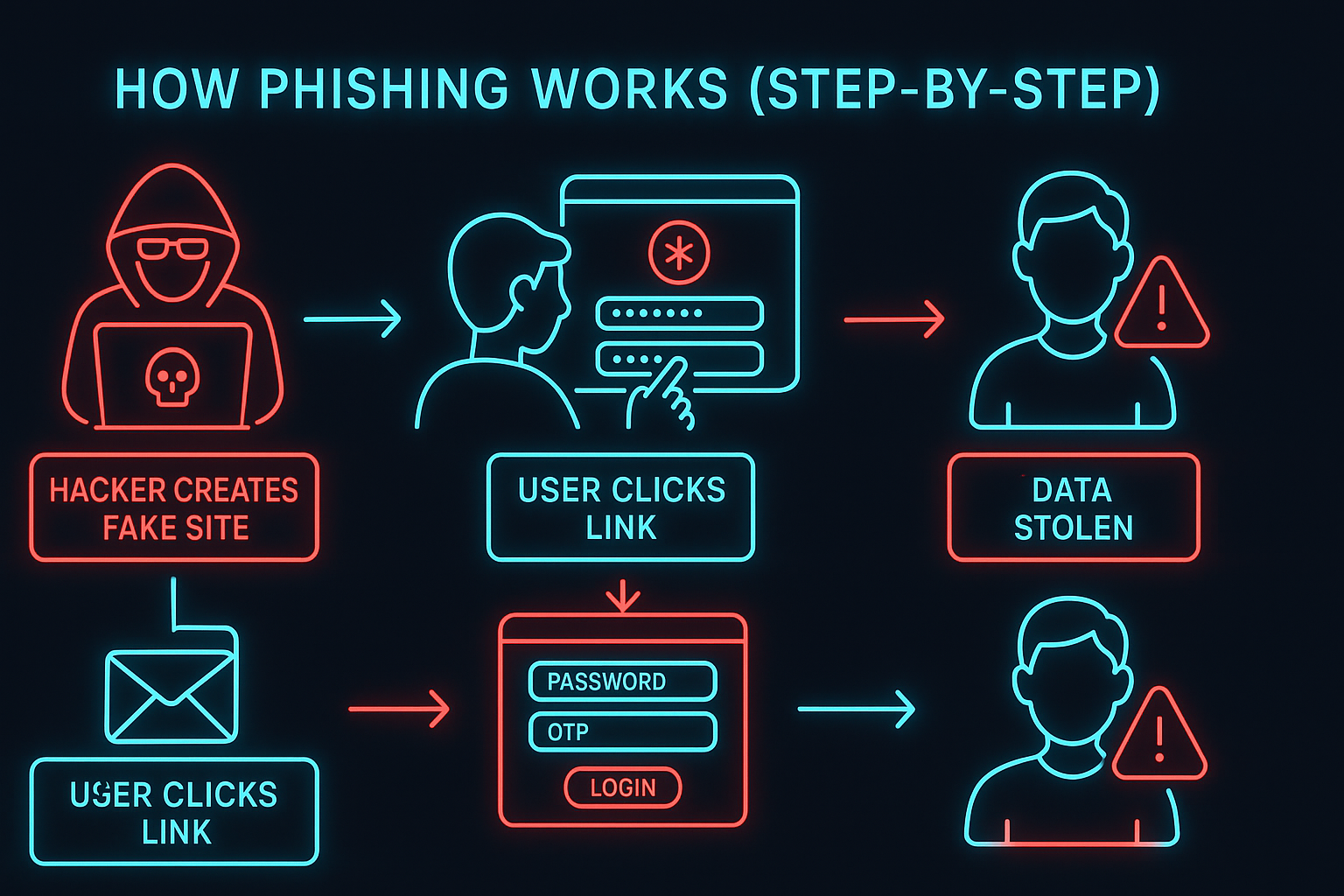
Phishing दिखने में बहुत simple लगता है, लेकिन यह एक dangerous psychological trick पर काम करता है। इसमें hackers technology से ज़्यादा user के डर, जल्दबाज़ी और trust का फायदा उठाते हैं। नीचे phishing attack का पूरा process step-by-step समझिए: Step-by-Step Process
Step 1: Hacker Fake Message या Website बनाता है
सबसे पहले scammer एक fake SMS, email या website तैयार करता है, जो बिल्कुल असली bank, courier service, electricity board या government site जैसी दिखती है।
Step 2: User को click करने के लिए Trap किया जाता है
इसके बाद user को डराने या जल्द action लेने के लिए messages भेजे जाते हैं, जैसे: ये messages urgency create करते हैं, ताकि user बिना सोचे-समझे click कर दे।
- “आपका account बंद हो जाएगा”
- “आपका refund pending है”
- “KYC तुरंत update करें”
Step 3: User अपनी details खुद enter कर देता है
Fake website इतनी real लगती है कि user अपना खुद ही भर देता है।
- Password
- OTP
- ATM / UPI details
Step 4: Data सीधे Hacker तक पहुँच जाता है
\Website या link के पीछे लगी script instantly सारी details attacker के server तक भेज देती है।
Step 5: Account या Money Compromise हो जाता है
Details मिलते ही Hacker:
- Bank account access कर सकता है
- Social media account hack कर सकता है
- UPI से पैसे transfer कर सकता है
Visual Understanding (Real vs Fake Example)
Real Website: https://sbi.co.in
Fake Website: http://sbi-kyc-update.in
(ध्यान दें: spelling और domain थोड़ा बदल दिया गया है)
Fake SMS Example:
“Electricity bill not updated. Your power will be cut. Pay now: elecbill-pay.in”
ऐसे messages panic create करते हैं — और यही phishing attack की सबसे बड़ी ताकत होती है।
3. Types of Phishing (Phishing के प्रकार)
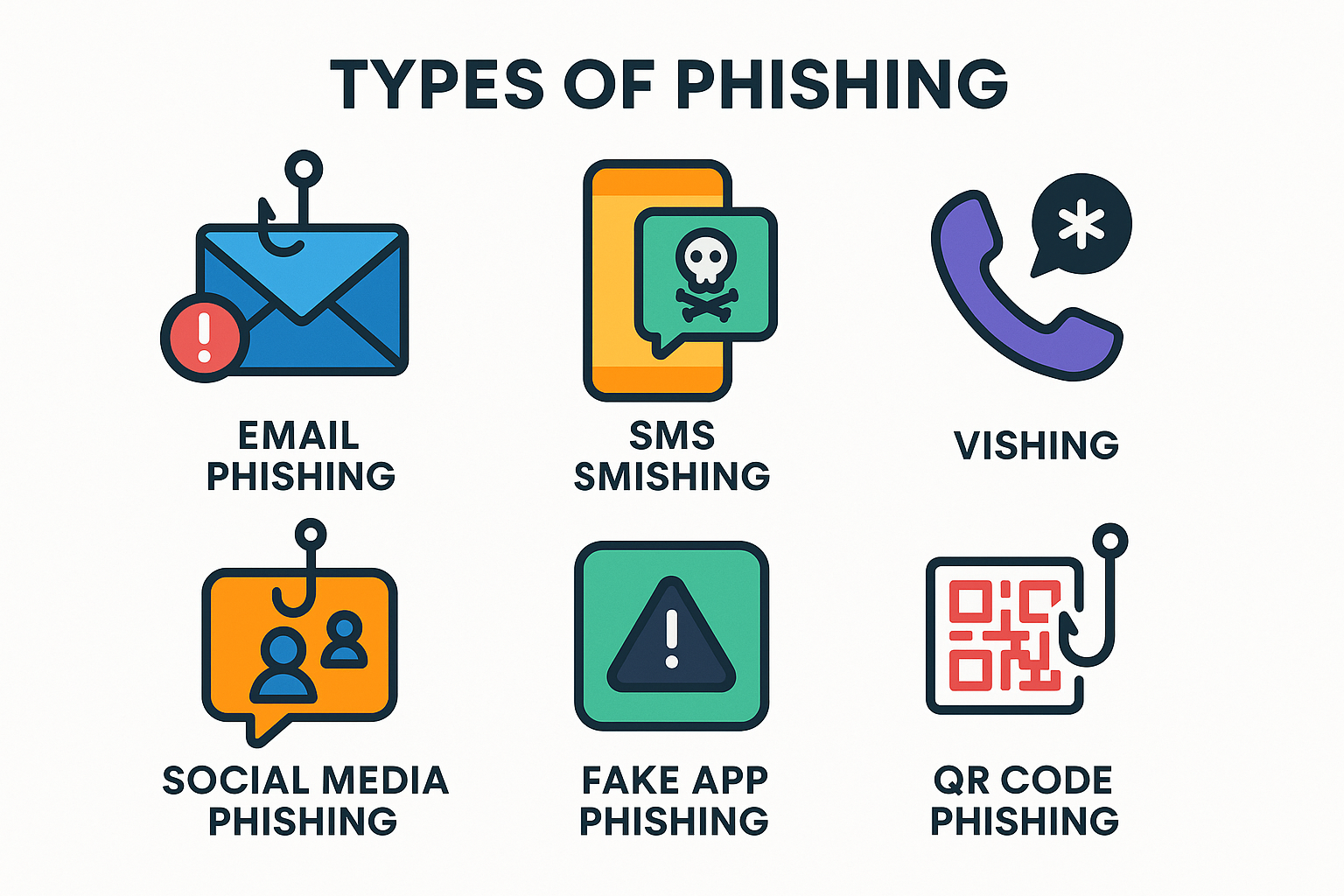
Phishing सिर्फ एक तरीके से नहीं किया जाता। 2026 में hackers ने phishing को और भी advanced और smart बना दिया है। नीचे सबसे common और updated phishing attack types दिए गए हैं, जिन्हें हर internet user को जानना चाहिए।
Email Phishing
यह सबसे common phishing attack है। इसमें hacker bank, company या social media platform बनकर fake email भेजता है, जिसमें malicious link या attachment होता है।
SMS Phishing (Smishing)
User को fake SMS भेजा जाता है, जैसे: “Your KYC expired. Click here to update.” इस SMS में harmful link होता है जो fake website पर ले जाता है।
Voice Call Phishing (Vishing)
Hacker खुद को bank officer, customer care या government official बताकर call करता है और OTP, PIN या personal details मांगता है।
Social Media Phishing
Fake giveaway, blue tick verification, prize या copyright warning messages भेजकर Instagram, Facebook या Twitter accounts hack किए जाते हैं।
WhatsApp / Telegram Phishing
WhatsApp या Telegram पर fake job offers, OTP requests या suspicious links भेजकर users को trap किया जाता है।
Fake App / APK Phishing
Hacker नकली banking, loan या UPI apps बनाते हैं। जैसे ही user app install करता है, data चोरी हो जाता है या phone control में आ जाता है।
Spear Phishing (Targeted Attack)
इसमें किसी specific person या company employee को target किया जाता है। Messages बहुत professional और personal होते हैं, इसलिए पहचानना मुश्किल होता है।
Clone Phishing
Hackers किसी real email की copy बनाते हैं और उसमें malicious link जोड़कर दोबारा भेजते हैं, ताकि message genuine लगे।
QR Code Phishing
Fake QR code scan करवाया जाता है, जिससे malware install हो सकता है या direct payment trigger हो जाता है।
Fake UPI Payment Request Phishing
Fraudsters fake “Collect Request” भेजते हैं और कहते हैं “Refund आएगा”, लेकिन accept करते ही पैसा आपके account से चला जाता है।
4. Hackers Phishing का उपयोग क्यों करते हैं?
Phishing cybercriminals का सबसे favourite तरीका है, क्योंकि इससे maximum damage minimum effort में किया जा सकता है।
Hackers phishing इसलिए use करते हैं क्योंकि:
- Passwords चुराने के लिए – Email, Facebook, Instagram और bank credentials आसानी से मिल जाते हैं
- Bank accounts empty करने के लिए – Fake UPI links और OTP tricks से
- Social media accounts hack करने के लिए – Fake verification और warning messages के जरिए
- Business Email Compromise (BEC) – Company payments को redirect करने के लिए
- Identity theft – Aadhaar, PAN, mobile number जैसी details misuse करने के लिए
- Remote access fraud – Fake apps या remote tools से पूरा mobile control में लेने के लिए
Phishing hackers के लिए आसान है, लेकिन users के लिए financial और privacy risk बहुत बड़ा होता है।
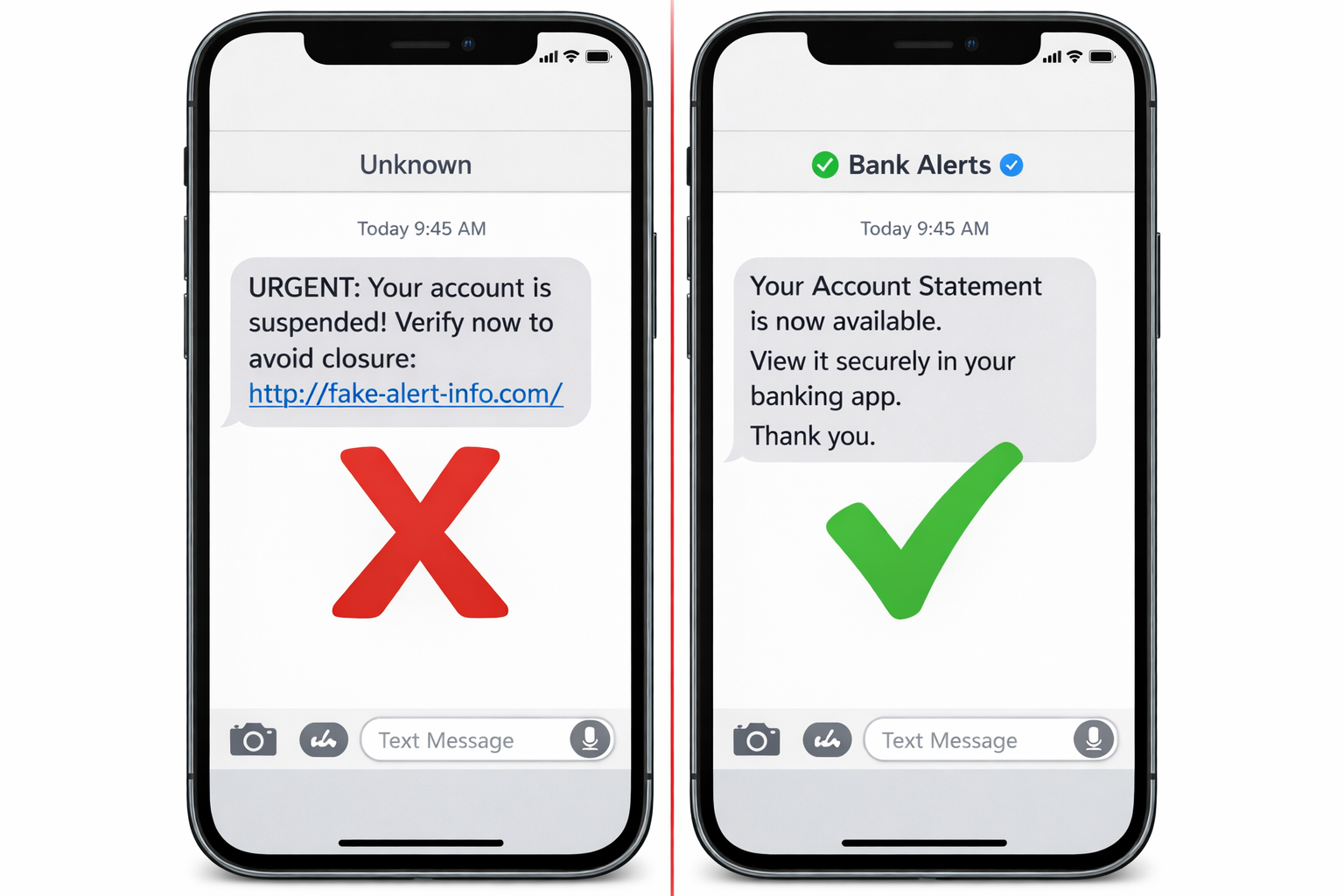
5. Phishing Messages की पहचान कैसे करें?
Phishing messages दिखने में अक्सर बिल्कुल real लगते हैं, लेकिन अगर आप कुछ basic signs पहचानना सीख लें, तो ऐसे scams से आसानी से बच सकते हैं। नीचे दिए गए points ध्यान में रखें:
1. Grammar और Spelling Mistakes
Fake messages में अक्सर spelling या grammar गलत होती है। Banks और official companies usually ऐसे mistakes नहीं करतीं।
2. Unknown या Suspicious Sender
अगर message किसी strange email ID, random mobile number या unknown username से आया है, तो सावधान हो जाएँ।
3. Urgent Message / Fear Tactics
Phishing messages user को डराने की कोशिश करते हैं, जैसे: Urgency = Red Flag
- “आपका account बंद हो जाएगा”
- “आज ही KYC update करें”
- “आपका bill overdue है”
4. Suspicious Links
Fake links में URL की spelling थोड़ी बदल दी जाती है, जैसे: sbi.co.in → sbii-verify.in
ऐसे links पर click करना बहुत risky होता है।
5. Fake Offers या Rewards
“₹20,000 cashback जीतें”, “Free iPhone now!” जैसे offers ज़्यादातर scams होते हैं। Real companies ऐसे random offers नहीं भेजतीं।
6. Fake Customer Care Numbers
Scammer खुद का phone number official Support की तरह दिखाकर भेजते हैं और call करने को कहते हैं।
7. Random OTP Requests
Bank, UPI या कोई भी genuine service unsolicited OTP कभी नहीं मांगती। अगर OTP माँगा जाए, तो यह almost 100% phishing होता है।
6. Real-Life Phishing Examples (India)
India में सबसे ज़्यादा होने वाले phishing scams ये हैं इन सभी scams का मकसद एक ही होता है — panic create करके जल्दी action करवाना।
- KYC Update Scam – Fake SMS: “Your KYC expired. Update now!”
- Electricity Bill Scam – “आज आपका connection काट दिया जाएगा” का डर
- UPI Refund Scam – Fake refund link, click करते ही पैसा debit
- Courier Delivery Scam – “Your parcel is stuck. Pay ₹10 to release.”
- Bank Account Warning Scam – Fake email: “Your account has been suspended”
- Instagram Verification Scam – Fake blue tick mail से login details चोरी
- PAN/Aadhaar Deactivation Scam – Fear tactics: “Your Aadhaar will be deactivated”
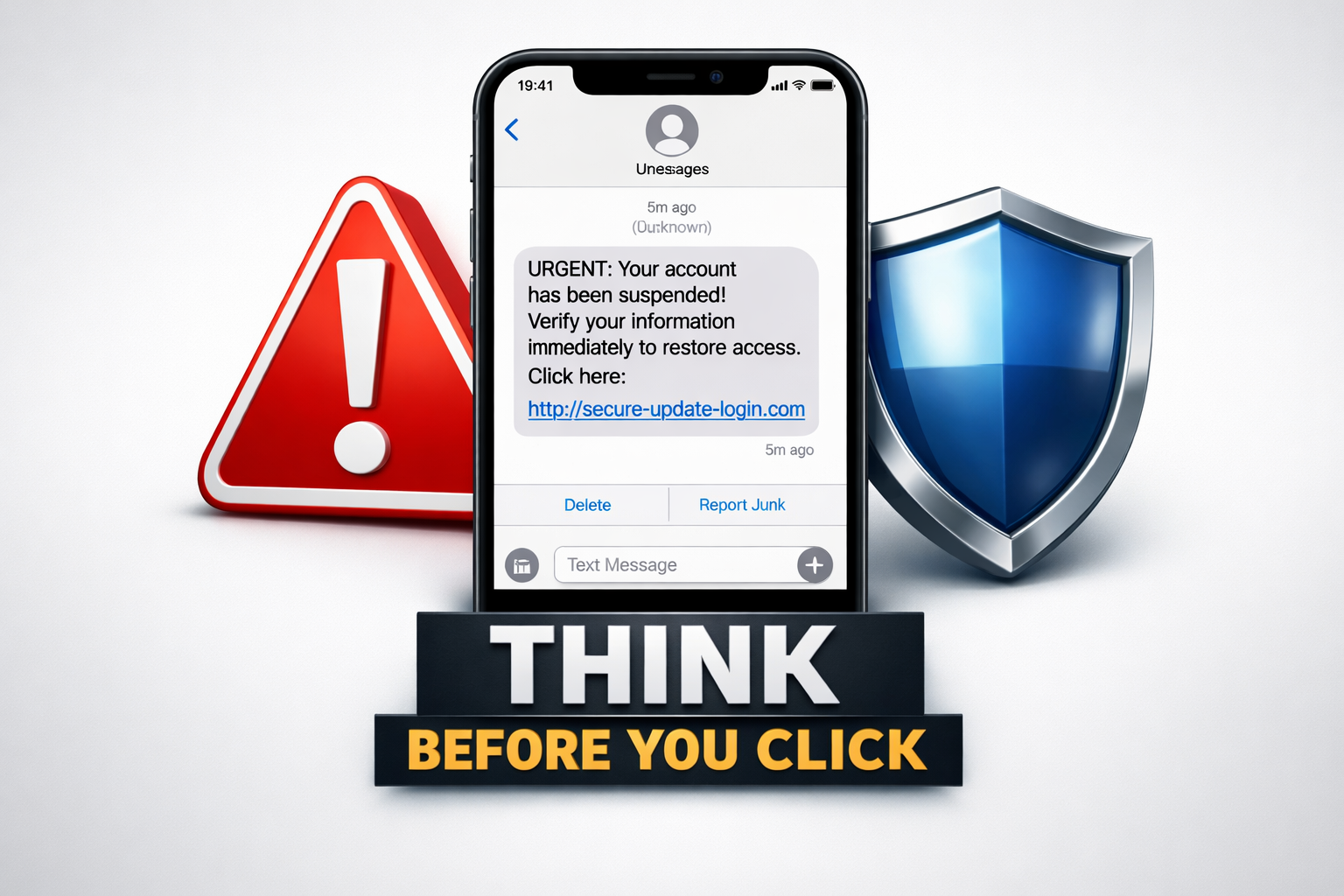
7. Phishing से कैसे बचें?
Phishing से बचना बेहद आसान है यदि आप ये Cyber Safety Rules follow करें:
- Unknown links पर कभी क्लिक न करें
- Apps केवल Play Store / App Store से install करें
- SMS में आए URL हमेशा verify करें Hover या click करने से पहले Domain check करें।
- Browser में HTTPS / Padlock icon देखें Secure websites हमेशा lock icon दिखाती हैं।
- Bank कभी OTP नहीं मांगता — याद रखें OTP, PIN, CVV, Password किसी को न दें।
- Strong Passwords & 2FA Enable करें 2-Factor Authentication आपका Account लगभग Unhackable बना देता है।
- Email Spam Filter Enable रखें Phishing mails आपके inbox तक नहीं पहुँचेंगे।
- Antivirus / Anti-Phishing Tools का उपयोग करें वे harmful websites और malicious links detect कर लेते हैं।
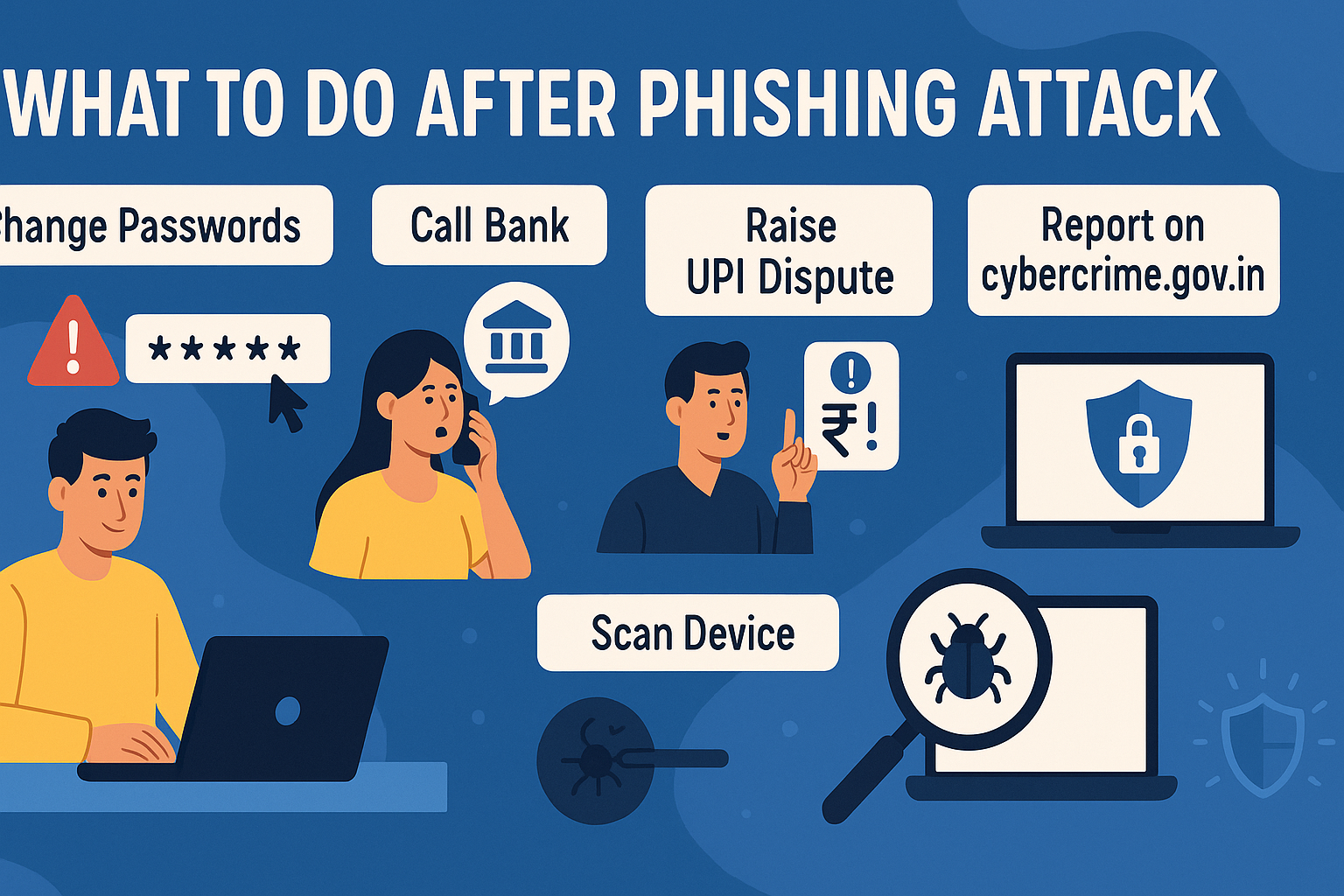
8. अगर आप Phishing का शिकार बन जाएँ तो क्या करें?
Phishing का शिकार होना डरावना हो सकता है, लेकिन अगर आप time पर सही steps उठा लेते हैं, तो नुकसान को काफी हद तक रोका जा सकता है। नीचे जरूरी actions step-by-step दिए गए हैं:
Step 1: तुरंत Passwords बदलें
सबसे पहले अपने के passwords तुरंत change करें। Strong और unique password use करें।
- Email account
- Bank / UPI apps
- Social media accounts
- Mobile या laptop login
Step 2: Bank या UPI Helpline पर तुरंत Call करें
अगर banking या UPI fraud हुआ है, तो delay न करें Early reporting से money loss रोका जा सकता है।
- Bank customer care से तुरंत contact करें
- Account hold या freeze करवाएँ
Step 3: UPI App में Dispute Raise करें
PhonePe, Google Pay, Paytm जैसे App में Help → Report Fraud → Dispute Transaction इससे transaction freeze होने की possibility रहती है।
Step 4: Email Account Secure करें
अगर Email Hack हुआ है:
- Recovery email या phone number से login करें
- 2FA (Two-Factor Authentication) enable करें
- Unknown sessions / devices logout करें
Step 5: cybercrime.gov.in पर Complaint दर्ज करें
भारत सरकार की official cybercrime portal पर online complaint (FIR) दर्ज करें। यह सबसे strong legal action माना जाता है।
Step 6: Device की Full Security Scan करें
Antivirus या mobile security app से कई phishing links background में malware install कर देते हैं।
- Phone / laptop को full scan करें
- Malware या spyware remove करें
9. Phishing vs Other Online Scams (Difference समझें)
Phishing कई scams से मिलता-जुलता लगता है, लेकिन इनके बीच फर्क समझना जरूरी है।
Phishing vs Malware
- Phishing: Fake message या website से data चोरी
- Malware: Device में virus डालकर control लेना
Phishing vs Smishing
- Phishing: Email या link-based fraud
- Smishing: SMS के जरिए phishing
Phishing vs Pharming
- Phishing: Fake link भेजना
- Pharming: Real site से fake site पर redirect करना
Phishing vs Spoofing
- Phishing: Credentials चोरी करना
- Spoofing: Fake caller ID / email identity से trust बनाना
2026 में Phishing कैसे बदल रहा है?
Phishing अब simple scams तक सीमित नहीं रहा। 2026 में यह और ज्यादा advanced हो चुका है:
- AI-Powered Phishing – Perfect grammar वाले realistic emails
- Deepfake Voice Fraud – Family member या bank officer की fake voice
- WhatsApp Automated Scams – Bots से हजारों links भेजना
- QR Code-Based Phishing – Fake QR से payment redirect या malware
- Fake UPI Requests – Refund / collect request scams
- Targeted Corporate Phishing – Companies को target करके large fraud
10. Phishing से Protection के Best Tools (2026)
Phishing Attack से बचने के लिए ये tools बेहद Useful हैं:
- Google Safe Browsing – Chrome dangerous websites auto-block करता है
- Microsoft Defender – Windows में built-in phishing protection
- 2FA Apps (Google Authenticator) – Extra security layer
- Password Managers – Strong passwords + fake sites पर autofill रोकते हैं
- Fraud Alert Apps (Truecaller) – Fake calls detect करते हैं
- Secure Email Tools – Spam filters phishing emails inbox से पहले block करते हैं
FAQs
Q1: Phishing क्या होता है?
Phishing एक cyber attack है, जिसमें scammers fake SMS, emails, calls या links के ज़रिए users से passwords, OTPs और banking details चुराने की कोशिश करते हैं।
Q2: Phishing कैसे होता है?
User को एक fake message या link भेजा जाता है →
User link पर click करता है →
Fake website पर details भर देता है →
और सारी information सीधे hacker तक पहुँच जाती है।
Q3: सबसे common phishing type कौन-सा है?
Email phishing और SMS phishing (Smishing) सबसे ज़्यादा cases में देखे जाते हैं।
Q4: Phishing से कैसे बचा जा सकता है?
- Unknown links पर click न करें
- Strong और unique passwords रखें
- 2FA (Two-Factor Authentication) enable करें
- Suspicious messages को ignore करें
Q5: क्या बैंक कभी SMS या WhatsApp पर link भेजते हैं?
नहीं। Genuine banks कभी भी SMS या WhatsApp पर KYC update, account unblock या offer links नहीं भेजते। ऐसे messages almost हमेशा phishing होते हैं।
Q6: अगर phishing हो जाए तो क्या action लेना चाहिए?
- तुरंत passwords change करें
- Bank या UPI customer care पर call करें
- UPI apps में dispute raise करें
- cybercrime.gov.in पर online complaint दर्ज करें
Conclusion
Phishing आज Internet का सबसे common और dangerous cyber attack बन चुका है, क्योंकि यह users की awareness की कमी का फायदा उठाता है। अच्छी बात यह है कि सही जानकारी और सतर्कता के साथ 90–95% phishing attacks आसानी से रोके जा सकते हैं।
2026 में digital payments, online banking और social media usage बढ़ने के साथ cyber safety अब optional नहीं, बल्कि जरूरी हो चुकी है।
सुरक्षित रहने के लिए हमेशा याद रखें:
- Suspicious links से दूर रहें
- Strong passwords का इस्तेमाल करें
- 2FA enable रखें
- Information हमेशा official sources से verify करें
याद रखें — Awareness ही आपका सबसे बड़ा security tool है।