Introduction (परिचय)
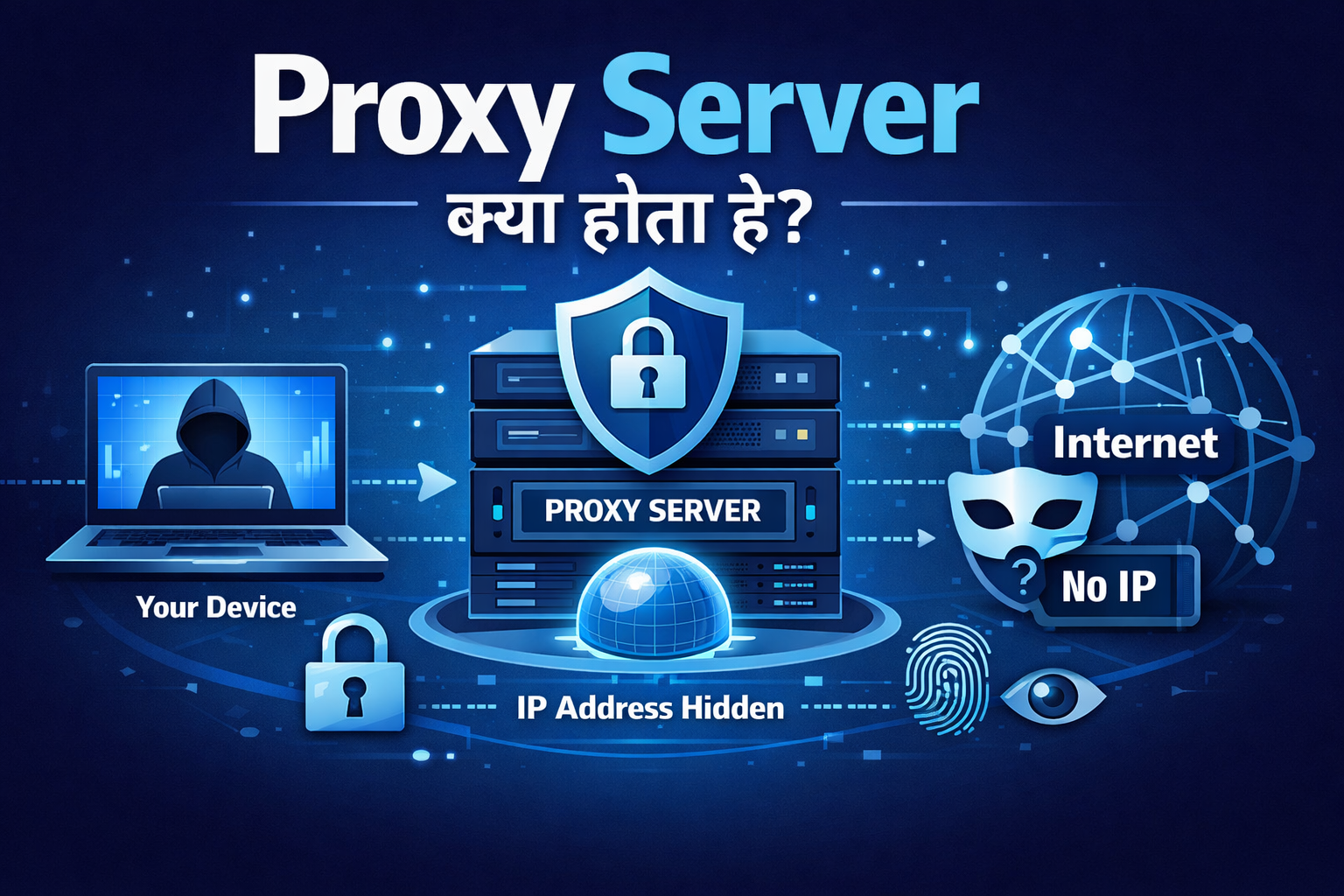
Proxy Server क्या होता है आज के Time में जब हम Internet पर Banking, Browsing, Office Work या Online Payments करते हैं, तो Privacy और Security सबसे बड़ा Concern बन चुकी है। ऐसे में आपने “Proxy Server” का नाम ज़रूर सुना होगा। लेकिन असली सवाल यही होता है — Proxy Server क्या होता है और यह क्यों जरूरी है?
मैंने खुद कई बार Public Wi-Fi (जैसे Railway Station या Café) पर internet use करते समय notice किया कि बिना Security के Browsing करना कितना Risky हो सकता है। Open networks पर आपका Real IP Address expose हो सकता है, आपकी location track की जा सकती है और browsing activity तक monitor हो सकती है। ऐसे Situation में Hacker के लिए आपकी identity Trace करना आसान हो जाता है।
यही वो Point है जहाँ Proxy Server जैसी Technology important बन जाती है। Proxy server आपके और website के बीच एक Middle layer की तरह काम करता है, जिससे आपकी Real identity Directly expose नहीं होती।
इस Article में आप simple language में जानेंगे अगर आप beginner हैं और proxy को लेकर confusion है, तो यह guide आपके लिए easy और clear रहेगी — step-by-step।
- Proxy Server क्या होता है
- Proxy Server कैसे काम करता है
- यह आपकी identity और privacy को कैसे protect करता है
- 2026 में Proxy Servers का use क्यों बढ़ रहा है
1. Proxy Server क्या होता है?
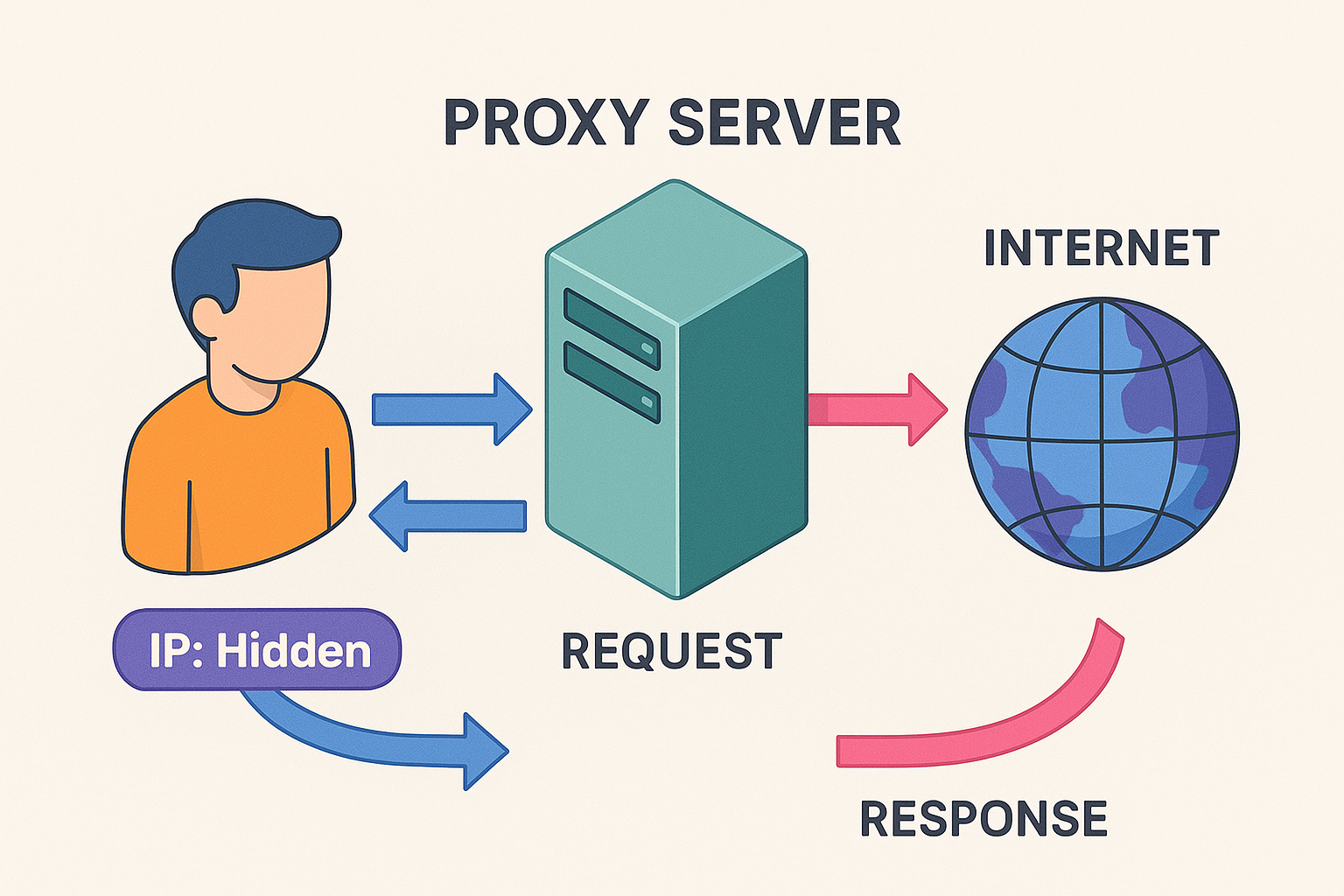
Proxy Server एक middle server होता है, जो user और internet के बीच बैठकर काम करता है।
जब आप किसी website को open करते हैं, तो normally आपका device सीधे उस website से connect होता है। लेकिन proxy server use करने पर आप direct website से connect नहीं होते।
User → Proxy Server → Internet
आप अपनी request proxy server को भेजते हैं, और proxy server आपके behalf पर website से connect करता है। इस process में आपकी real IP address hide हो जाती है। Website को सिर्फ proxy server का IP दिखता है — आपका नहीं।
इसका मतलब यह हुआ कि Website को direct पता नहीं चलता कि request आपने भेजी है आपकी location और identity ज्यादा safe रहती है Browsing थोड़ा ज्यादा private हो जाती है
Example
Imagine करें: आप किसी Friend को सीधे Message नहीं भेजते,बल्कि एक “Messenger person” के हाथ भेजते हैं। Friend को लगता है कि Message Messenger ने भेजा है —जबकि असल Sender आप थे। Proxy Server भी बिल्कुल इसी तरह काम करता है। Website को लगता है कि request proxy server से आई है, जबकि पीछे से real user आप होते हैं।
2. Proxy Server कैसे काम करता है?
Proxy Server का working सुनने में technical लगता है, लेकिन असल में यह काफी simple और powerful process है। Proxy आपके और website के बीच एक middle layer की तरह काम करता है, जिससे आपकी real identity direct expose नहीं होती।
Step-by-Step Working
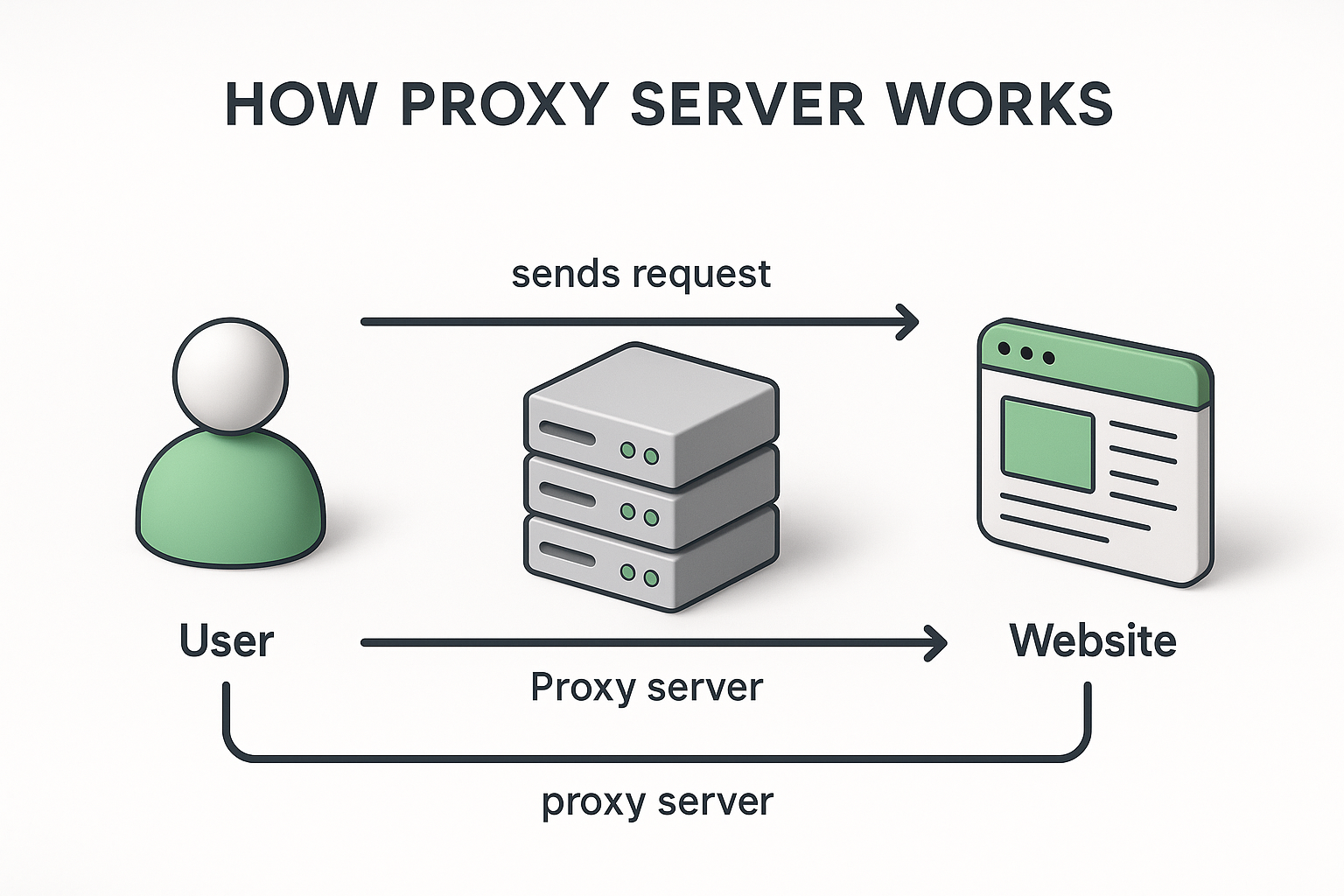
1. सबसे पहले User कोई request भेजता है जैसे आप किसी website को open करते हैं।
2. यह request direct website तक नहीं जाती, बल्कि पहले Proxy Server तक पहुँचती है।
3. Proxy Server आपकी request को आगे Internet पर forward करता है, लेकिन अपनी identity के साथ —
आपका real IP address hide रहता है।
4. Website को लगता है कि Rquest Proxy Server से आई है, User से नहीं। इसलिए आपकी identity और location safe रहती है।
5. Website का response पहले Proxy Server को मिलता है।
6. Proxy Server वही response वापस User तक पहुँचा देता है। यह पूरा process milliseconds में complete हो जाता है, इसलिए speed पर ज़्यादा असर नहीं पड़ता।
Visual Understanding
Without Proxy (Direct Browsing): User → Website User का IP website को साफ दिखता है (Trackable)
With Proxy: User → Proxy → Website → Proxy → User User का IP hide रहता है, website को सिर्फ proxy दिखता है
3. Proxy Server के प्रकार
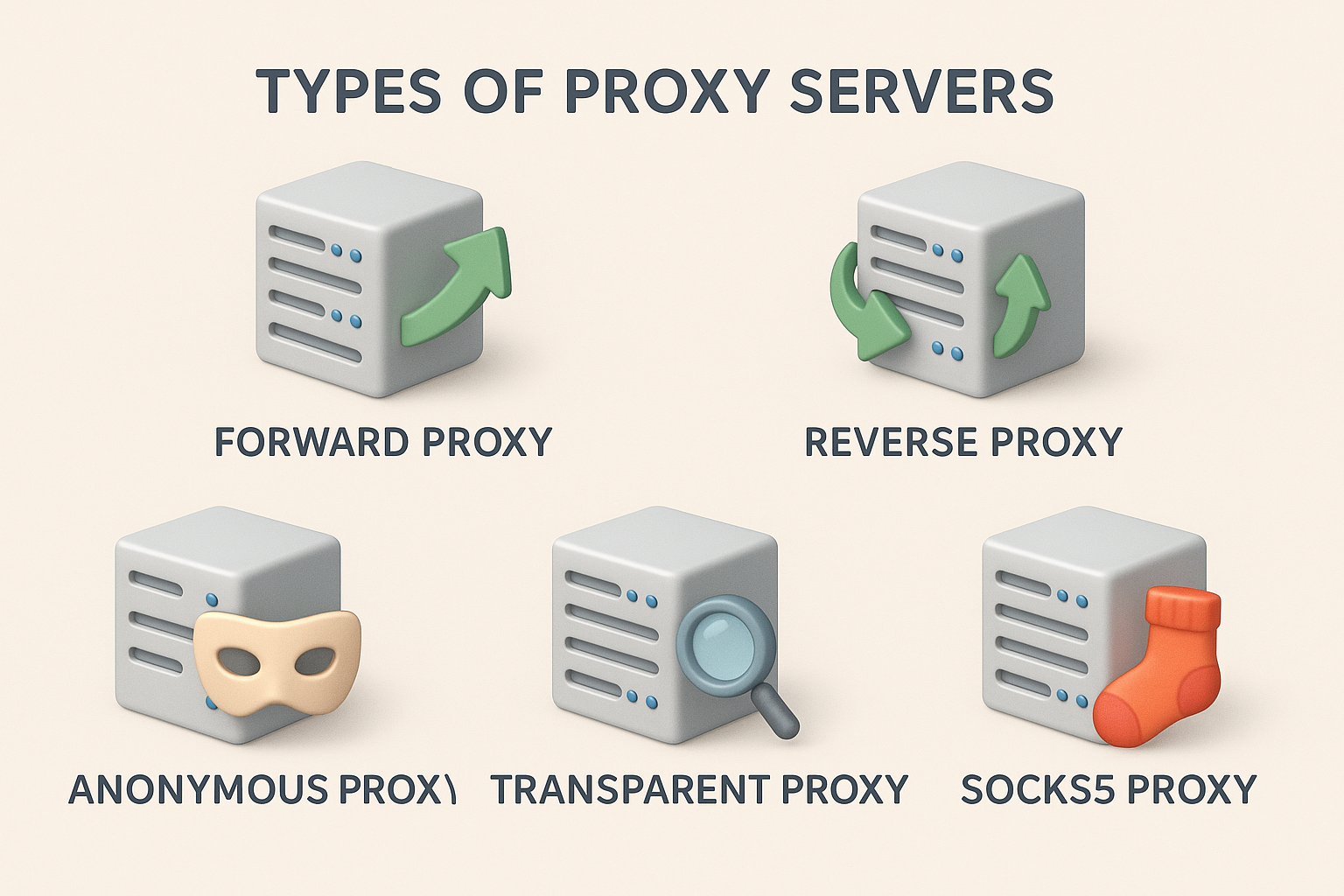
Proxy Servers कई प्रकार के होते हैं, और हर प्रकार अलग purpose पूरा करता है।
1. Forward Proxy
- सबसे Common User → Proxy → Internet Website को आपका IP नहीं दिखता
Browsing, privacy, unblocked access के लिए
2. Reverse Proxy
- Server-side Protection
- Internet → Proxy → Server
Load balancing, Security, DDoS protection Cloudflare इसका सबसे बड़ा Example है।
3. Transparent Proxy
- User को पता नहीं चलता कि वह proxy पर है Offices, schools, colleges Use करते हैं Monitoring + filtering
4. Anonymous Proxy
- आपका IP Hide करता है Website को सिर्फ proxy का low-level IP मिलता है
Basic privacy browsing
5. High Anonymity Proxy (Elite Proxy)
- Identity 100% Hide Website को पता भी नहीं चलता कि Proxy Use हुआ है
High-level privacy, darknet-level anonymity
6. SOCKS Proxy (SOCKS5)
-
सिर्फ Web Browsing नहीं, हर प्रकार का Data Support करता है Gaming, Torrents, Streaming Speed + flexibility
7. Residential Proxy
-
Real Home users के IP से Browsing होती है High Trust Websites like Ecommerce, Social Media bots
8. Public Proxy vs Private Proxy
Public Proxy
- Free
- Slow
- Unsafe (data leak risk)
Private Proxy
- Fast
- Secure
- Paid
Recommended for privacy
4. Proxy Server का उपयोग कहाँ होता है?
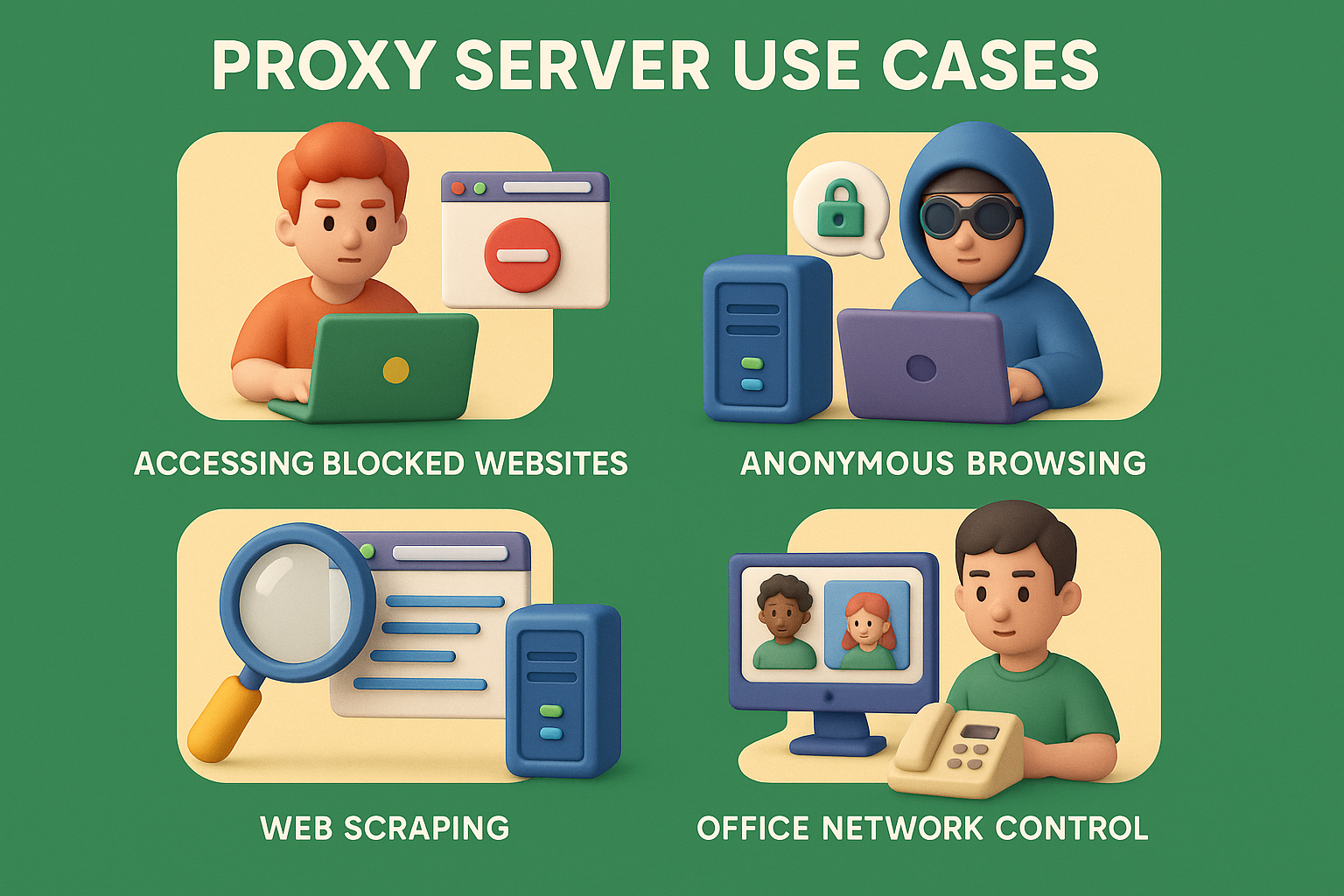
Proxy Server आज सिर्फ tech experts तक limited नहीं है। 2026 में इसकी usage काफी बढ़ चुकी है, क्योंकि privacy, security और content access की demand भी बढ़ गई है। Proxy Server का use कई अलग-अलग situations में किया जाता है:
-
IP Address Hide करने के लिए Proxy आपका real IP address छुपा देता है और websites को अपनी identity दिखाता है, जिससे आपकी online privacy better रहती है।
-
Blocked Websites Access करने के लिए School, office या public Wi-Fi में कई websites block होती हैं। Proxy की मदद से इन्हें Access किया जा सकता है।
-
Geo-Blocked Content देखने के लिए Netflix, Hotstar या YouTube जैसे platforms पर region-restricted videos proxy के ज़रिए open हो जाते हैं।
-
Load Balancing और Server Protection में Reverse proxy servers heavy traffic को multiple servers में distribute करते हैं और DDoS attacks से protection देते हैं।
-
Anonymous Browsing के लिए Proxy use करने पर websites को आपका real IP नहीं दिखता, जिससे browsing ज्यादा private हो जाती है।
-
Web Scraping और Bots में Data collection के दौरान proxy identity hide करता है, जिससे blocking का risk कम होता है।
-
Security Testing के लिए Ethical hackers और testers proxy के ज़रिए website traffic analyze करते हैं और vulnerabilities check करते हैं।
Proxy Server के फायदे (Advantages)
Proxy Server कई Practical Benefit देता है, खासकर privacy और performance से जुड़े हुए:
- Better Privacy – आपकी identity और location hidden रहती है
- IP Address Protection – Website को सिर्फ proxy का IP दिखता है
- Blocked Websites Bypass – School/office restrictions easily bypass होती हैं
- Faster Loading (कुछ cases में) – Cached content जल्दी load हो जाता है
- DDoS Protection (Reverse Proxy) – Servers cyber attacks से safer रहते हैं
- Load Balancing – Traffic distribute होने से website performance improve होती है
Proxy Server के नुकसान (Limitations)
Proxy Server useful है, लेकिन इसके कुछ limitations भी हैं जिन्हें जानना ज़रूरी है:
- Slow Speed – Free या overloaded proxies slow हो सकते हैं
- Public Proxies Unsafe – Free proxies data चोरी कर सकते हैं
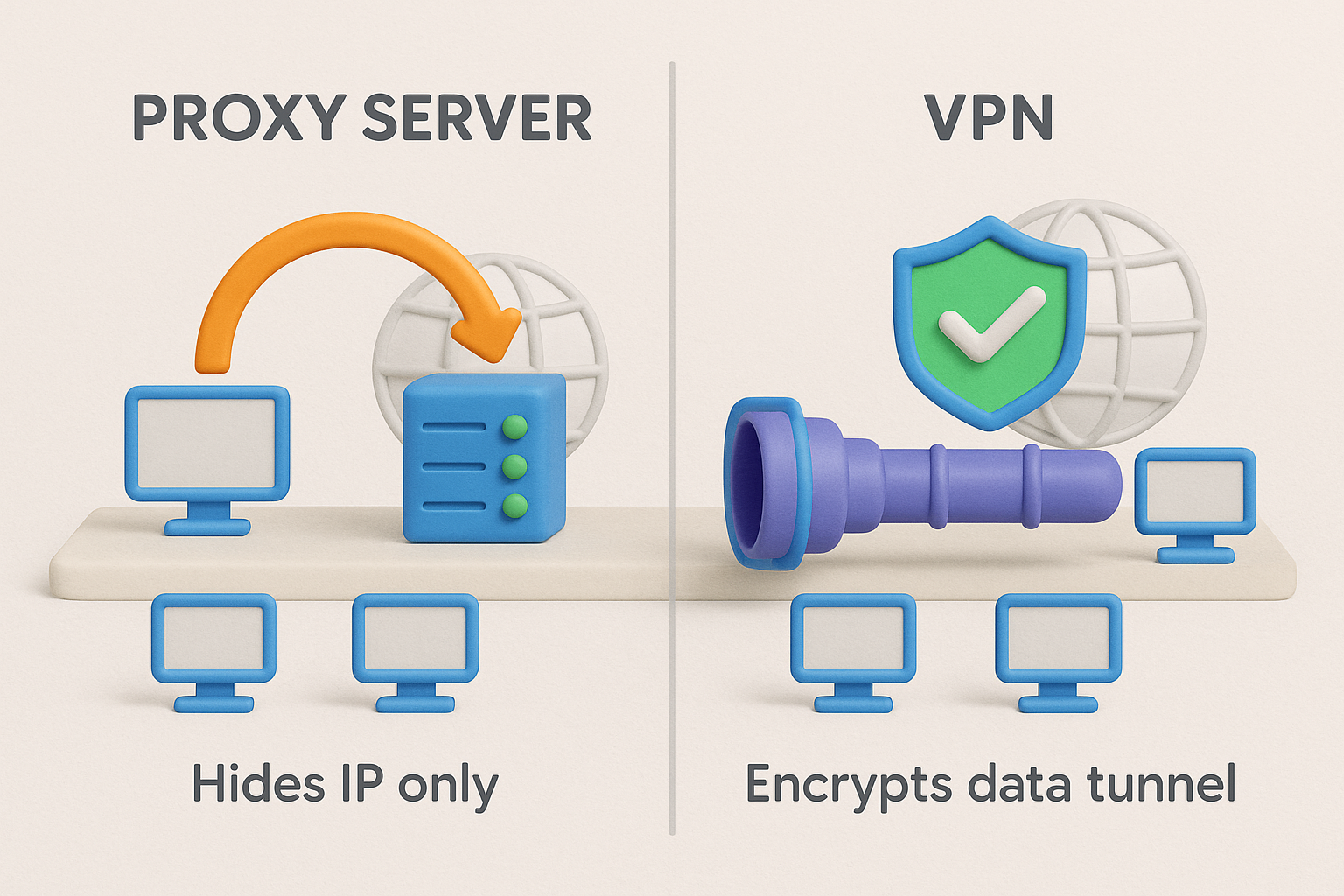
- Encryption नहीं मिलता – Proxy data encrypt नहीं करता (VPN करता है)
- Logging Risk – कुछ proxies browsing history log करके misuse कर सकते हैं
- IP Leak Possibility – Wrong setup या weak proxy से IP leak हो सकता है
Proxy Server vs VPN
7. Proxy Server vs VPN — Difference Table
Proxy Server और VPN दोनों का काम IP address hide करना होता है, लेकिन security level और use-case अलग-अलग होते हैं। नीचे table से difference आसानी से समझिए:
Proxy Server vs VPN – Comparison Table
| Feature | Proxy Server | VPN |
|---|---|---|
| IP Hide | Yes | Yes |
| Encryption | No (mostly) | Yes (strong encryption) |
| Speed | Fast (no encryption) | Slightly slow |
| Security | Medium | High |
| Best For | Browsing, basic restrictions bypass | Banking, privacy, sensitive data |
| Price | Free / Cheap | Mostly Paid |
- Proxy = Speed + basic privacy
- VPN = Strong security + full privacy
8. Proxy Server कैसे सेट करें?
Proxy Server setup करना मुश्किल नहीं है। ज़्यादातर cases में आपको सिर्फ IP address और Port number डालना होता है।
Windows (Manual Proxy Setup)
Settings → Network & Internet → Proxy → Manual Proxy IP + Port डालें → Save
Android (Wi-Fi Proxy Setup)
Wi-Fi → Network Settings → Advanced → Proxy → Manual
IP Address + Port डालें
iPhone (iOS Proxy Setup)
Settings → Wi-Fi → (i) button → Configure Proxy → Manual
Proxy details add करें
Browser-Based Proxies (सबसे आसान तरीका)
- Chrome extensions
- Firefox add-ons
- Opera built-in proxy
Beginners के लिए browser proxy सबसे easy option होता है.
Proxy Server के Real-Life Examples
Proxy Server का use सिर्फ theory नहीं, बल्कि daily life में भी होता है:
- Schools में restricted websites students proxy से access करते हैं
- Offices monitoring proxies से employee browsing track करते हैं
- Cloudflare जैसे reverse proxies websites को cyber attacks से protect करते हैं
- Netflix / YouTube region restrictions bypass करने के लिए proxy use होता है
- WhatsApp Web / Telegram proxies slow networks में connectivity improve करते हैं
9. Proxy Server और Firewall में क्या फर्क है?
Proxy और Firewall दोनों security से जुड़े हैं, लेकिन उनका role अलग होता है।
Proxy vs Firewall – Difference Table
| Feature | Proxy | Firewall |
|---|---|---|
| Purpose | IP hide + request forwarding | Security filtering |
| Works On | Application layer | Network layer |
| Controls | Data requests | Allowed / blocked traffic |
| Best For | Privacy & restrictions bypass | Network protection |
- Proxy = Middle Server
- Firewall = Security Guard
10. Proxy Server Security Risks
Proxy Server useful होता है, लेकिन गलत या unsafe proxy use करना risk create कर सकता है — खासकर free proxies के case में। नीचे कुछ common security risks दिए गए हैं जिन्हें ignore नहीं करना चाहिए।
-
Password Leakage का खतरा Free या malicious proxies आपके login details capture कर सकते हैं, खासकर जब connection encrypted न हो।
-
Man-in-the-Middle Attack Proxy आपके और website के बीच बैठकर unencrypted data को intercept कर सकता है, जिससे sensitive information leak हो सकती है।
-
Unencrypted Traffic Risk Traditional proxies data encrypt नहीं करते, इसलिए banking या personal data के लिए risky हो सकते हैं।
-
Logging & Data Selling कई free proxies आपकी browsing history log करके third-party companies को बेच देते हैं। इसलिए हमेशा trusted और paid proxy services prefer करना safer option होता है।
12. 2026 में Proxy Server का Future
Internet पर privacy, speed और Security की जरूरत हर साल बढ़ती जा रही है। इसी वजह से 2026 और आने वाले years में Proxy Servers पहले से कहीं ज्यादा Smart, Secure और Advanced बनने वाले हैं।
पहले Proxy Servers सिर्फ IP Hide करने या Blocked Websites Access करने तक limited थे, लेकिन अब proxy technology AI, Automation और Advanced Security Systems का हिस्सा बन चुकी है।
1. AI-Based Proxy Systems
2026 में proxies में Artificial Intelligence (AI) का use तेजी से बढ़ेगा। AI-powered proxies:
- Suspicious traffic खुद detect करेंगे
- Bots और real users में difference समझेंगे
- High-load traffic को smart तरीके से manage करेंगे
- Intelligent IP rotation use करेंगे
2. Better Anonymity & Zero-Log Architecture
Users privacy को लेकर पहले से ज्यादा aware हो चुके हैं। Future proxies: Anonymity next level पर पहुँच जाएगी।
- Zero-log policies follow करेंगे
- Advanced IP masking देंगे
- Fingerprinting techniques को fail करेंगे
3. CDN + Proxy Integration (Speed + Security)
CDN और proxy integration website security का नया standard बन रहा है। Cloudflare और Akamai जैसी companies पहले से ही इस model पर काम कर रही हैं। इसके benefits:
- Ultra-fast website loading
- Smooth global content delivery
- Strong DDoS protection
- Reverse proxy + CDN = powerful security shield
4. Smart Residential IP Networks
2026 में residential proxies ज्यादा popular होंगे क्योंकि:
- Real user जैसे IP मिलते हैं
- Detection risk बहुत कम होता है
- E-commerce, SEO और scraping में success rate high होता है
5. Encrypted Proxy Connections (Hybrid Proxy-VPN)
Traditional proxies encryption नहीं देते, लेकिन future proxies में इससे proxy browsing ज्यादा secure होगी।
- Partial encryption
- Secure tunneling
- Hybrid proxy-VPN technology
6. Quantum-Safe Proxy Networks (Long-Term Future)
Future में quantum computing traditional encryption को challenge कर सकती है।
इसलिए advanced proxies quantum-safe encryption methods adopt करेंगे, जिससे long-term security possible होगी।
FAQs
Q1: Proxy Server क्या होता है?
Proxy Server एक middle server होता है जो user और internet के बीच बैठकर काम करता है।
यह आपका real IP address hide करता है और websites को proxy की identity दिखाता है।
Q2: Proxy Server क्या काम करता है?
Proxy Server का main काम होता है:
- IP address hide करना
- Restricted websites access करने में मदद करना
- Basic level की online privacy improve करना
Q3: Proxy और VPN में क्या अंतर है?
Proxy सिर्फ आपका IP address hide करता है, जबकि VPN आपका IP + पूरा internet traffic encrypt करता है। इसलिए security के मामले में VPN ज्यादा strong होता है।
Q4: Proxy Server safe होता है या नहीं?
Paid या private proxies generally safe होते हैं। लेकिन free/public proxies risky हो सकते हैं, क्योंकि वे data log या leak कर सकते हैं।
Q5: Transparent Proxy क्या होता है?
Transparent proxy ऐसा proxy होता है जिसमें user को पता भी नहीं चलता कि proxy use हो रहा है। Schools और offices में monitoring के लिए इसका use ज्यादा होता है।
Q6: क्या Proxy से internet fast हो सकता है?
कुछ cases में proxy cached content की वजह से pages faster load कर सकता है। लेकिन speed हमेशा guarantee नहीं होती — यह proxy quality पर depend करता है।
Conclusion
Proxy Server क्या होता है? यह online privacy बढ़ाने और web restrictions bypass करने का एक simple और effective tool है। Proxy server की मदद से users अपना IP address hide कर सकते हैं और basic anonymity maintain कर सकते हैं। हालाँकि, banking, financial transactions या sensitive data के लिए Proxy best option नहीं माना जाता। ऐसे cases में VPN ज्यादा secure होता है, क्योंकि वह पूरा internet traffic encrypt करता है। 2026 में Proxy Server का Trend
2026 में proxy server का use तेजी से बढ़ा है, खासकर इन areas में:
- Reverse Proxy – Website security और DDoS protection के लिए
- Residential Proxy – High-trust browsing, scraping और automation के लिए
Best Results पाने के लिए Tips
- अपनी जरूरत के हिसाब से सही proxy चुनें
- Free proxies avoid करें (security risk ज्यादा होता है)
- Safe browsing practices हमेशा follow करें
सही तरीके से proxy server का use करने पर आप faster, safer और more controlled internet access पा सकते हैं।