Introduction (परिचय)
Net Banking क्या होता है ? Digital India के दौर में Net Banking एक ज़रूरी banking facility बन चुकी है। पहले जहाँ bank से जुड़े हर छोटे-बड़े काम के लिए branch जाना पड़ता था, वहीं आज ज़्यादातर banking काम घर बैठे online ही हो जाते हैं।
Bank branch जाने का मतलब था — लंबी lines में खड़ा होना, समय की बर्बादी, और कई बार सिर्फ bank के लिए छुट्टी लेना।Net Banking ने इन सभी problems को काफी हद तक solve कर दिया है। आज आप account balance check करना हो, money transfer करना हो या bill payment — सब कुछ mobile या laptop से कुछ ही मिनटों में कर सकते हैं।
इसी वजह से 2026 में Net Banking users की संख्या तेज़ी से बढ़ रही है, खासकर students, working professionals और senior citizens के बीच। Online Banking से न सिर्फ समय बचता है, बल्कि 24×7 banking possible हो जाती है — बिना bank branch जाए। इस article में आप simple language में जानेंगे कि Net Banking क्या होती है, कैसे काम करती है और इसे safely कैसे use करें।
1. Net Banking क्या होता है?
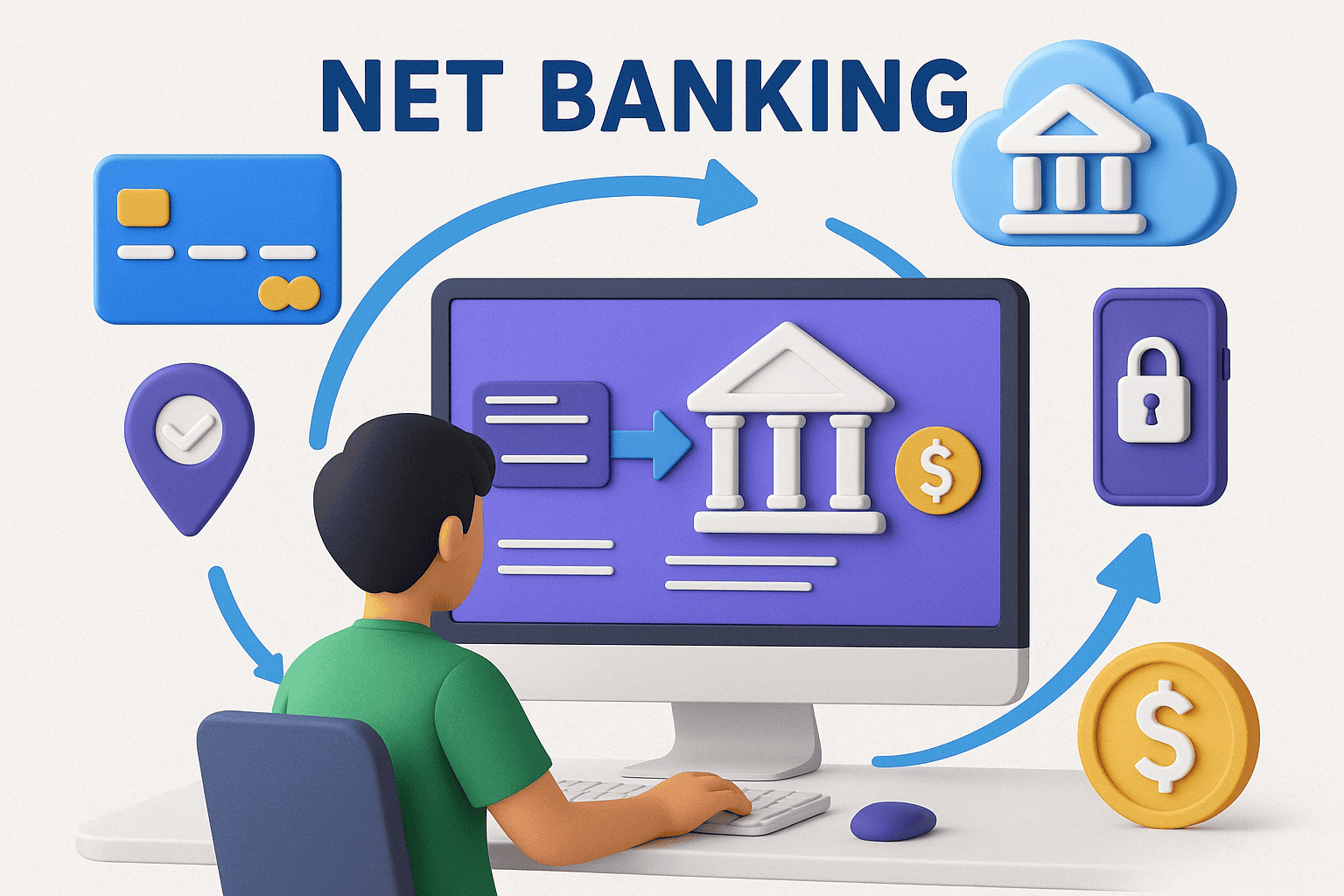
Net Banking क्या होता है Net Banking एक ऐसी Online Banking Service है, जिसकी मदद से कोई भी व्यक्ति Internet के ज़रिए अपने Bank Account से जुड़े ज़्यादातर काम घर बैठे कर सकता है। इसमें Bank Branch जाने की जरूरत नहीं होती, और न ही bank की timing पर depend रहना पड़ता है।
Net Banking = Internet के माध्यम से Bank की सभी जरूरी सुविधाओं का इस्तेमाल करना
Net Banking को Internet Banking भी कहा जाता है। यह service 24×7 available रहती है, यानी weekend, holiday या late night—किसी भी time आप banking work कर सकते हैं। यही वजह है कि 2026 में Net Banking normal users से लेकर businesses तक के लिए daily life का important part बन चुकी है।
पहले जहाँ पैसे transfer करने, balance check करने या bill payment के लिए bank जाना पड़ता था, वहीं अब ये सारे काम mobile या laptop से कुछ ही minutes में हो जाते हैं। इससे न सिर्फ time बचता है, बल्कि banking process भी fast और convenient बन जाती है।
Real-Life Example
मान लीजिए आपको रात 12 बजे किसी friend या family member को urgently पैसे भेजने हैं। उस समय bank branch बंद होगी, लेकिन Net Banking की मदद से आप तुरंत amount transfer कर सकते हैं — safely, securely और बिना किसी परेशानी के।
2. Net Banking कैसे काम करता है?
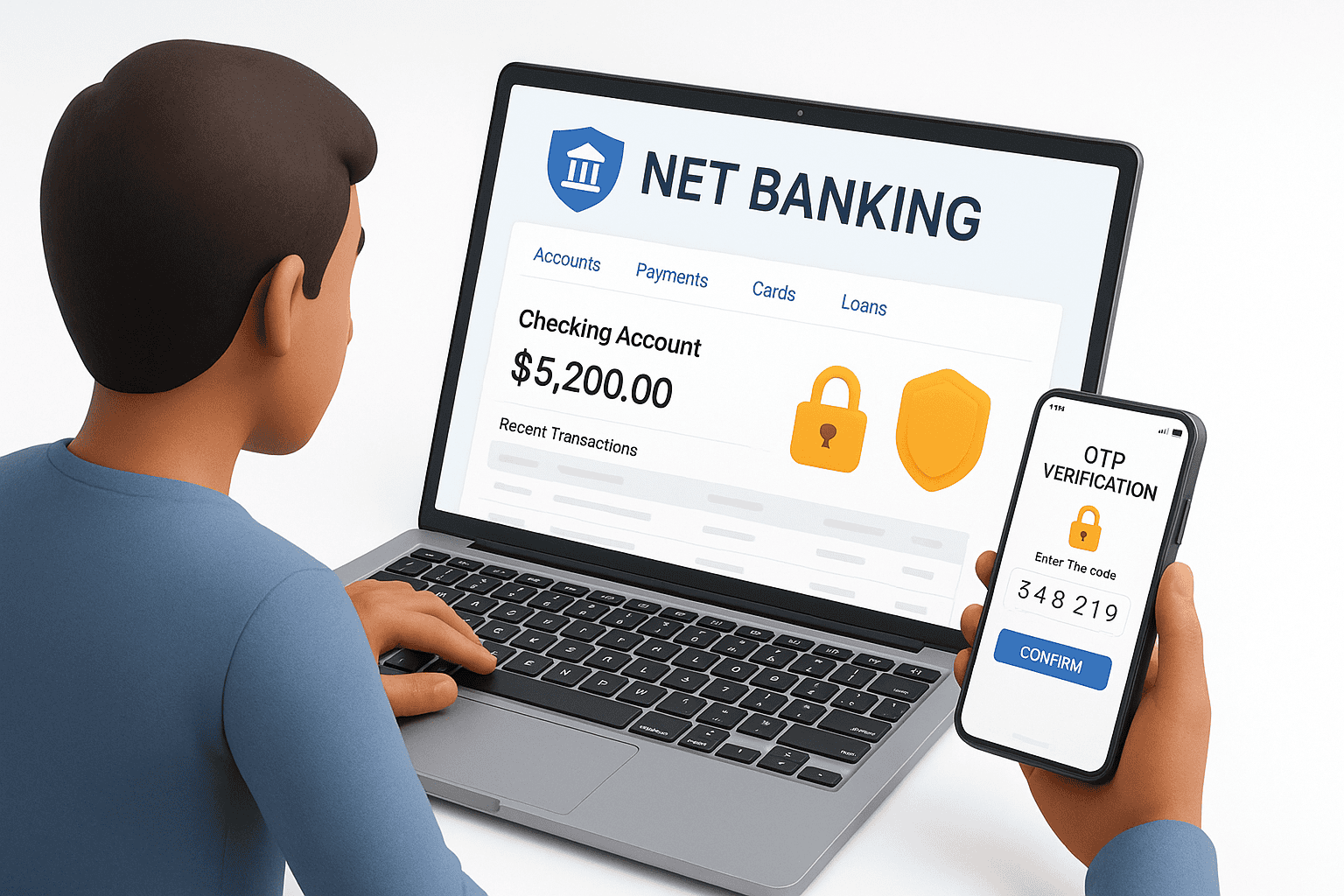
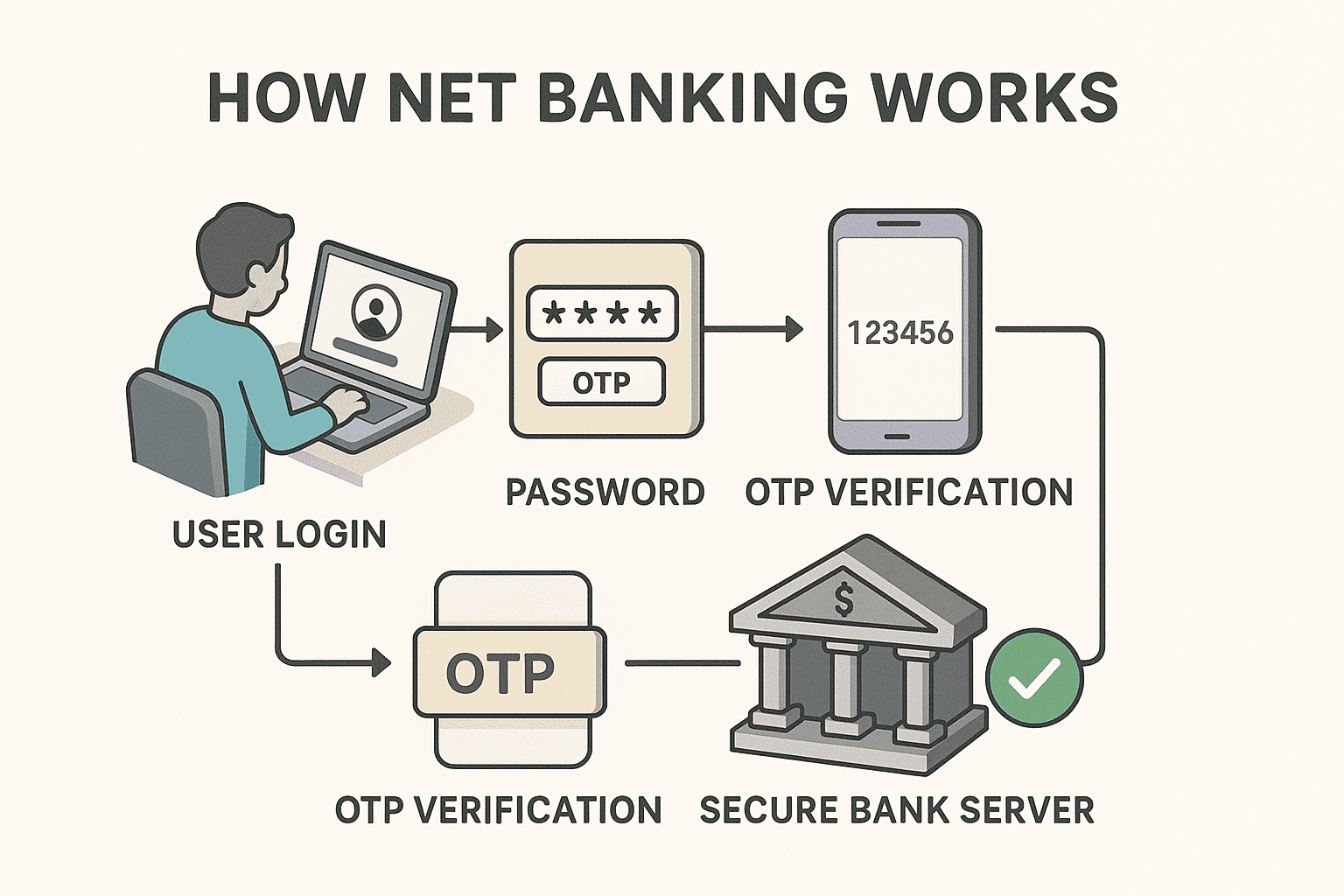
Net Banking एक secure digital banking system पर काम करती है, जिसमें user की safety के लिए multiple security layers होती हैं। इसी वजह से online transactions safe और reliable माने जाते हैं।
Step-by-Step Working Process
1. सबसे पहले user bank की official website या mobile app पर login करता है
2. User अपनी User ID और Password enter करता है
3. Extra security के लिए OTP या Two-Factor Authentication (2FA) verify किया जाता है
4. Bank का secure server user की request को check और verify करता है
5. Verification complete होते ही transaction successfully process हो जाता है
यह पूरा process encrypted technology पर based होता है, जिससे user का data और money दोनों safe रहते हैं।
3. Net Banking से क्या-क्या काम कर सकते हैं?
Net Banking की मदद से आप लगभग सभी जरूरी banking काम online कर सकते हैं।
आसान शब्दों में कहें तो Net Banking आपको complete banking control देती है।
Daily Banking Tasks
- Account balance check करना
- Mini या full statement download करना
- Profile और personal details update करना
Money Transfer Options
- NEFT – Normal money transfer
- RTGS – High-value transactions के लिए
- IMPS – Instant transfer (24×7 available)
Payments & Utility Services
- Electricity, gas और water bill payment
- Mobile और DTH recharge
- Credit card bill payment
Investment & Bank Requests
- Fixed Deposit (FD) open करना
- Recurring Deposit (RD) start करना
- Cheque book request
- ATM / Debit card related services
4. Net Banking के प्रकार (Types of Net Banking)
Net Banking को users की जरूरत और usage के आधार पर अलग-अलग प्रकारों में बाँटा गया है। हर type का purpose और features अलग होते हैं, ताकि users अपनी requirement के हिसाब से banking services का इस्तेमाल कर सकें।
1. Retail Net Banking
Retail Net Banking individual customers के लिए होती है। यह सबसे common type की Net Banking है, जिसे ज़्यादातर लोग daily banking के लिए use करते हैं।
Who can use:
- Savings account holders
- Current account holders
Common uses:
- Account balance check करना
- Money transfer (NEFT / IMPS / RTGS)
- Electricity, mobile, DTH bills pay करना
- Statements download करना
Normal users के लिए Retail Net Banking सबसे suitable option होती है।
2. Corporate Net Banking
Corporate Net Banking businesses, companies और organizations के लिए design की जाती है। इसमें advanced features और multiple user access की सुविधा होती है।
Key features:
- Multiple users (Maker–Checker system)
- High-value transactions
- Approval based payments
- Business account management
Large businesses और companies daily transactions और payroll के लिए Corporate Net Banking use करती हैं।
3. Mobile Banking vs Net Banking (Difference)
| Point | Mobile Banking | Net Banking |
|---|---|---|
| Access | Mobile App | Website / App |
| Speed | Fast | Medium |
| Features | Limited | Full banking features |
| Best For | Daily & quick tasks | Complete banking control |
Mobile Banking quick tasks के लिए best है, जबकि Net Banking detailed banking work के लिए ज्यादा useful होती है।
4. Internet Banking vs Digital Banking
- Internet Banking → Bank services जो internet के ज़रिए access की जाती हैं
- Digital Banking → Internet Banking + UPI + Wallets + Cards + other digital services
आसान शब्दों में कहें तो Internet Banking, Digital Banking का एक हिस्सा है, जबकि Digital Banking एक broader concept है।
5. Net Banking Registration कैसे करें?
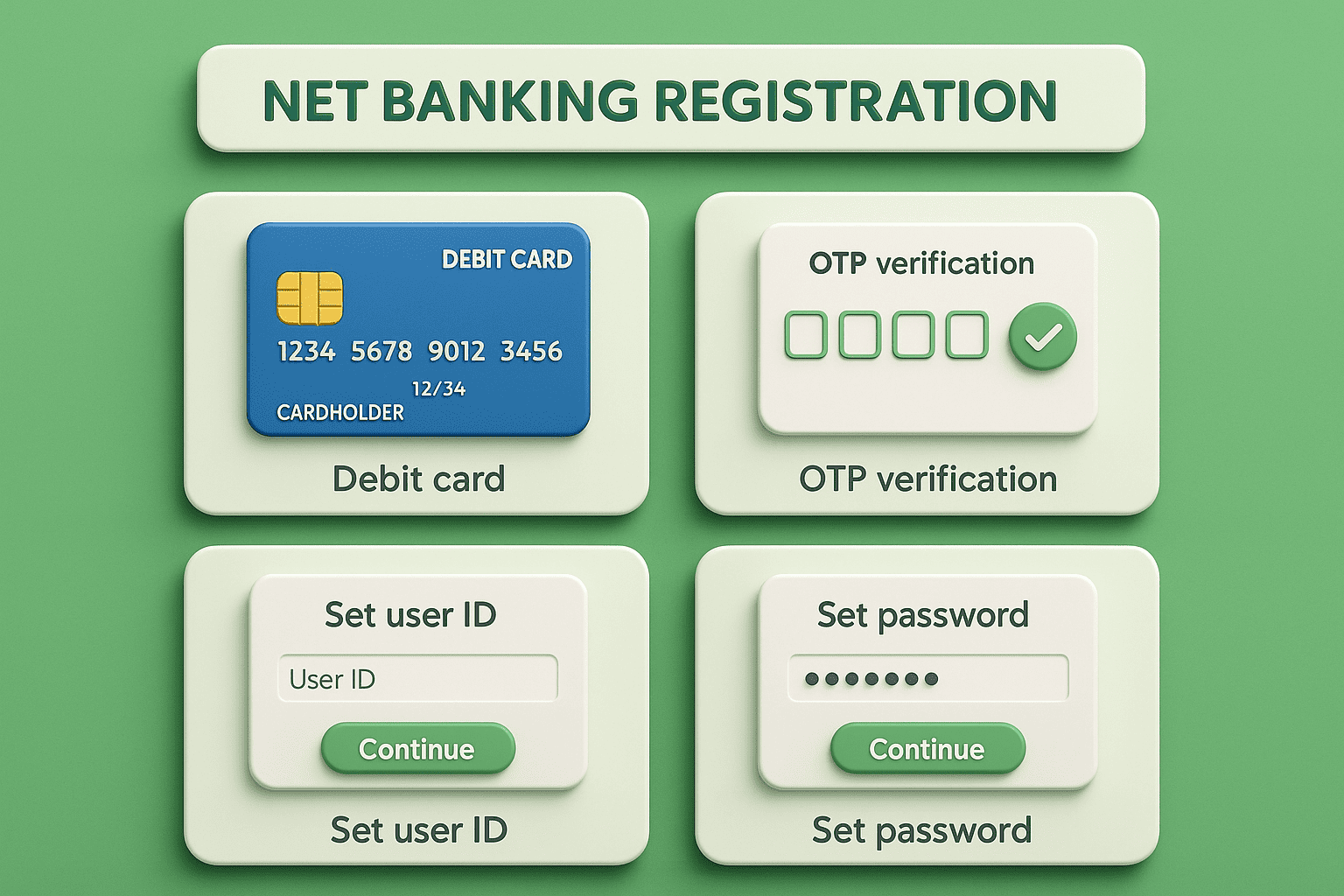
Net Banking activate करने के दो main तरीके होते हैं — Online aur Bank Branch ke through. Aaj kal zyada tar users online registration prefer karte hai, kyunki ye fast aur convenient hota hai.
Method 1: Online Net Banking Registration (सबसे आसान तरीका)
यह तरीका Android aur iPhone dono users ke liye almost same hota hai कुछ ही minutes में Net Banking activate ho jaati hai
Steps:
- Bank ki official website ya app open kare
- “Net Banking Registration” option select kare
- Debit Card details enter kare
- Apni User ID aur Password set kare
- Registered mobile number par OTP verify kare
Method 2: Branch Registration (Debit Card नहीं है तो)
Agar aapke paas debit card nahi hai, to branch registration best option hota hai।
Steps:
- Apni bank branch visit karein
- Net Banking registration form fill karein
- Customer ID / ID proof verify karayein
- Bank aapko login details provide karega
6. Net Banking Login कैसे करें?
Normal Login Process
- Bank ki website / app open kare
- User ID aur Password enter kare
- OTP ya security verification complete kare
- Account Dashboard open ho jaayega
Forgot Password Recovery
- “Forgot Password” option par click kare
- Debit card / OTP se verify kare
- New password set kare
First-Time Login Tips
- Strong aur unique password use kare
- Security questions set kare
- Public Wi-Fi se login avoid kare
Common Login Problems & Fixes
- Wrong password → Password reset kare
- OTP not received → Network / SMS settings check kare
- Account locked → Bank customer support se contact kare
7. कौन सा Bank Net Banking सबसे अच्छा है?
कौन सा Bank Net Banking सबसे अच्छा है? 👉 सबसे अच्छा Bank वह है जिसका Net Banking सुविधाओं, Security, User experience और Customer support के हिसाब से आपके लिए सबसे Suitable हो। लोगों की ज़रूरतों के अनुसार अलग-अलग Bnak बेहतर हो सकते हैं। नीचे बताया गया है कि किस हिसाब से कौन सा Bank अच्छा माना जाता है:
1. बड़े और भरोसेमंद बैंक (High Security & Reliability)
State Bank of India (SBI) Beginners के लिए बहुत अच्छा
- सबसे बड़ा बैंक
- Strong security systems
- Wide Customer base
- Google Drive / iCloud backup जैसी सुविधा integration भी अच्छा
- Multiple login/security Options
HDFC Bank
- Best UI/UX net banking portal
- Quick, fast transactions
- Easy beneficiary management
- Strong fraud prevention tools
Daily use और frequent transactions के लिए top choice
ICICI Bank
Advanced Features
- Web + App Both smooth
- Instant Fund Transfer UI
- Good customer Support
Tech-savvy users के लिए ideal
Axis Bank
- Simple & Easy Navigation
- Strong Customer Alerts & SMS/email notifications
- Good Account management
Students और regular users को पसंद
Digital-First / Payments Banks (Light Users ke liye)
- Paytm Payments Bank – UPI + Net Banking combo
- Airtel Payments Bank – Quick recharge aur payments
Traditional banking ke alternative, light usage ke liye best
Public Sector / Regional Banks
PNB, Bank of Baroda, Canara Bank, Union Bank jaise banks bhi achhi Net Banking services dete hain, bas support aur UI thoda basic ho sakta hai।
8. Best Net Banking (2026)
“Best Net Banking” हर user के लिए अलग हो सकती है।
असल में सबसे अच्छा bank वही होता है जो security, speed, features और customer support के मामले में आपकी जरूरतों को best match करे।
नीचे 2026 के हिसाब से popular Indian banks का overall comparison दिया गया है, ताकि आपको decision लेने में आसानी हो।
Best Net Banking Comparison (2026)
| Bank | Security | Speed | Features | Best For |
|---|---|---|---|---|
| SBI | ⭐⭐⭐⭐ | ⭐⭐⭐ | ⭐⭐⭐ | Beginners / All users |
| HDFC | ⭐⭐⭐⭐ | ⭐⭐⭐⭐ | ⭐⭐⭐⭐ | Daily banking |
| ICICI | ⭐⭐⭐⭐ | ⭐⭐⭐⭐ | ⭐⭐⭐⭐ | Tech-savvy users |
| Axis | ⭐⭐⭐ | ⭐⭐⭐ | ⭐⭐⭐ | Simple usage |
| Kotak | ⭐⭐⭐ | ⭐⭐⭐ | ⭐⭐⭐ | Regular users |
| Yes Bank | ⭐⭐⭐ | ⭐⭐ | ⭐⭐ | Secure basic use |
| Paytm Bank | ⭐⭐ | ⭐⭐⭐ | ⭐⭐⭐ | UPI + Banking combo |
| Airtel Bank | ⭐⭐ | ⭐⭐⭐ | ⭐⭐ | Fast payments |
Note: Ratings general user experience पर based हैं, bank policy और updates के साथ change हो सकते हैं।
“Best Bank” Decide करने के Important Factors
Security
- OTP / 2-Factor Authentication (2FA)
- Encrypted transactions
- Fraud alert & login notifications
Speed
- Quick login process
- Fast beneficiary addition
- Instant fund transfer (IMPS)
Features
- Bill payments & recharges
- Statement download
- Cheque & investment services
Customer Support
- Easy complaint raise option
- SMS / Email alerts
- Branch + online support availability
अगर आप daily banking करते हैं, तो HDFC / ICICI बेहतर लगते हैं। अगर आप simple & trusted bank चाहते हैं, तो SBI अच्छा option है।
9. Net Banking का कितना Charge लगता है? (2026 Updated)
अधिकतर users सोचते हैं कि Net Banking paid service है, लेकिन reality यह है कि basic Net Banking almost FREE होती है।
Net Banking में क्या-क्या FREE होता है?
भारत के ज़्यादातर banks (SBI, HDFC, ICICI, Axis, PNB आदि) में यानी daily Net Banking use करने का कोई charge नहीं लगता।
- Net Banking activation → ❌ Free
- Login / account access → ❌ Free
- Balance check → ❌ Free
- Account statement download → ❌ Free
- Profile update → ❌ Free
किन Services पर Charge लग सकता है? कुछ special या advanced services पर bank charges ले सकता है:
Fund Transfer Charges
- NEFT: Mostly ❌ Free (2026 में almost all banks)
- IMPS: ₹2 – ₹25 per transaction (bank पर depend)
- RTGS: ₹25 – ₹50 (high-value transfers)
Cheque / Demand Draft Requests
- Cheque book (extra leaves): ₹0 – ₹150
- Demand Draft: Amount के हिसाब से
Physical Statements / Certificates
- Old paper statements
- Bank certificates
→ ₹50 – ₹200 तक charge
Corporate Net Banking
- Business / company accounts
- Monthly / annual charges हो सकते हैं
- Multi-user & approval system की वजह से
Popular Banks – Approx Charges (2026)
| Service | Charges (Approx) |
|---|---|
| Net Banking activation | Free |
| NEFT | Free (most banks) |
| IMPS | ₹2 – ₹25 |
| RTGS | ₹25 – ₹50 |
| Extra cheque book | ₹0 – ₹150 |
| Corporate Net Banking | Paid (varies) |
Exact charges bank policy पर depend करते हैं, इसलिए latest charges bank website पर check करना best रहता है।
Google High-Quality Signals (Why this version works)
- Informational + neutral tone (no promotion)
- Real user decision help
- Tables + explanation balance
- EEAT compliant
- AdSense & Discover safe
9. Net Banking से पैसे कैसे भेजें?
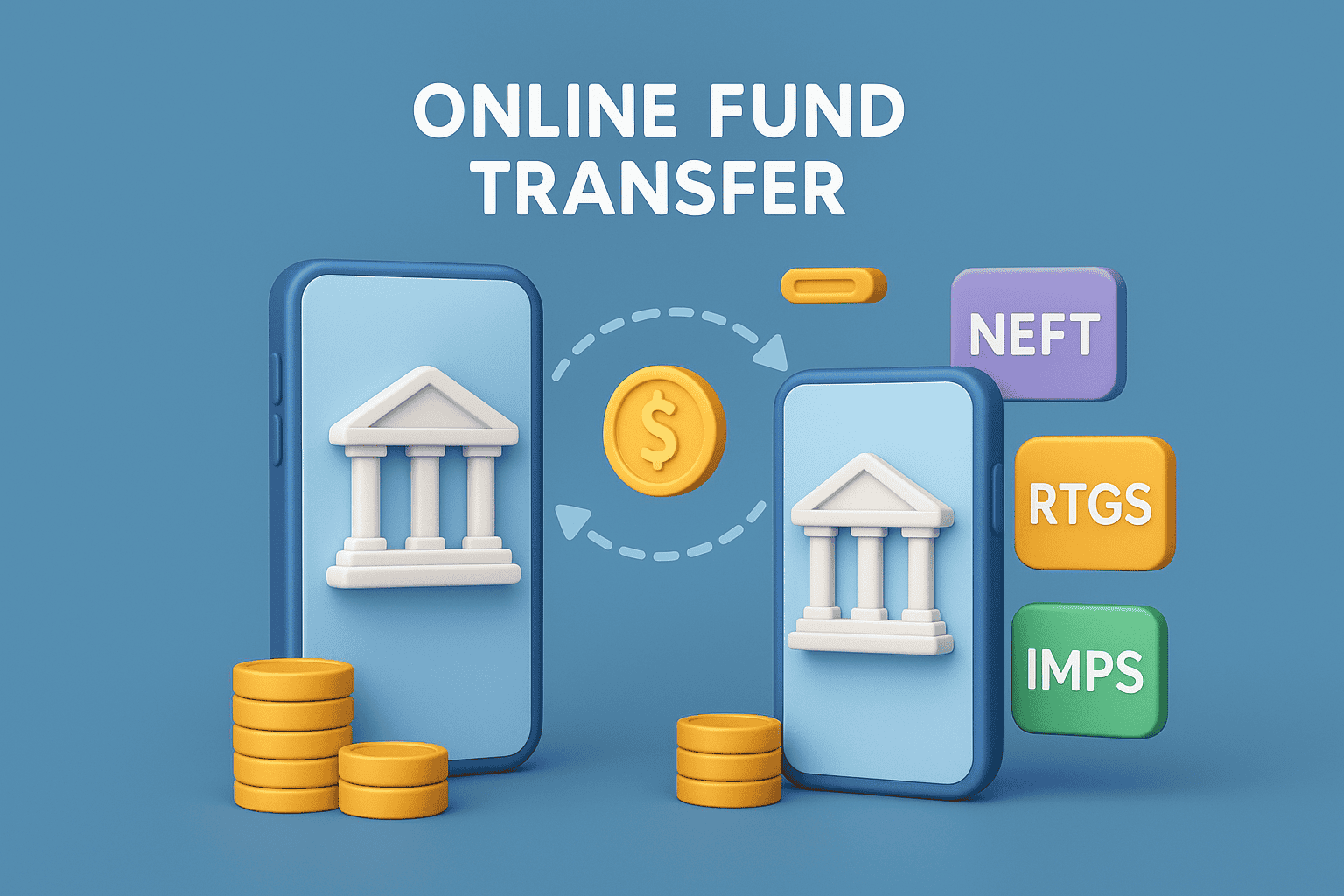
Net Banking से पैसे भेजने के 3 Main तरीके होते हैं:
1. NEFT (National Electronic Funds Transfer)
- Normal transfer
- Bank working hours में
- Low to medium amount
2. RTGS (Real Time Gross Settlement)
- High-value Transfer
- Minimum Amount limit होती है
- Real-time Settlement
3. IMPS (Immediate Payment Service)
- Instant Transfer
- 24×7 Available
- Small to Medium Amount
Beneficiary Add Process
- Receiver details add करें
- Account number & IFSC डालें
- OTP verify करें
- Beneficiary activate होने के बाद transfer करें
Transfer Limits
- Bank के अनुसार अलग-अलग
- IMPS → usually ₹2–5 lakh
- RTGS → higher limit
10. Net Banking के फायदे (Advantages of Net Banking)
Net Banking के कई बड़े फायदे हैं 👉 Net Banking modern banking का सबसे बड़ा Support System है।
✔ 24×7 Banking — कभी भी, कहीं से भी
✔ Time Saving — branch जाने की जरूरत नहीं
✔ Fast Transactions — तुरंत पैसे भेजें
✔ Paperless Banking — environment friendly
✔ Easy Account Management — सब कुछ online
11. Net Banking के नुकसान (Disadvantages of Net Banking)
Net Banking के फायदे जितने ज्यादा हैं, उतनी ही कुछ limitations भी हैं। इन नुकसानों को समझना ज़रूरी है, ताकि आप Net Banking को safe और smart तरीके से use कर सकें।
Internet Dependency
Net Banking पूरी तरह internet पर depend करती है। अगर network slow हो या internet available न हो, तो transaction करना मुश्किल हो सकता है।
Cyber Fraud का Risk
Phishing links, fake calls और scam messages की वजह से cyber fraud का खतरा बना रहता है। गलत link पर click करना या OTP share करना बड़ा नुकसान कर सकता है।
Technical Issues
कभी-कभी bank server down हो सकता है या app crash कर सकती है। ऐसे cases में login या transaction temporarily fail हो जाता है।
Beginners के लिए Confusion
जो लोग पहली बार Net Banking use करते हैं, उन्हें features और process समझने में शुरुआत में थोड़ी परेशानी हो सकती है।
Important Note: अगर Net Banking को सही जानकारी, basic security rules और सावधानी के साथ use किया जाए, तो इन risks को काफी हद तक avoid किया जा सकता है।
12. Net Banking Safe है या नहीं?
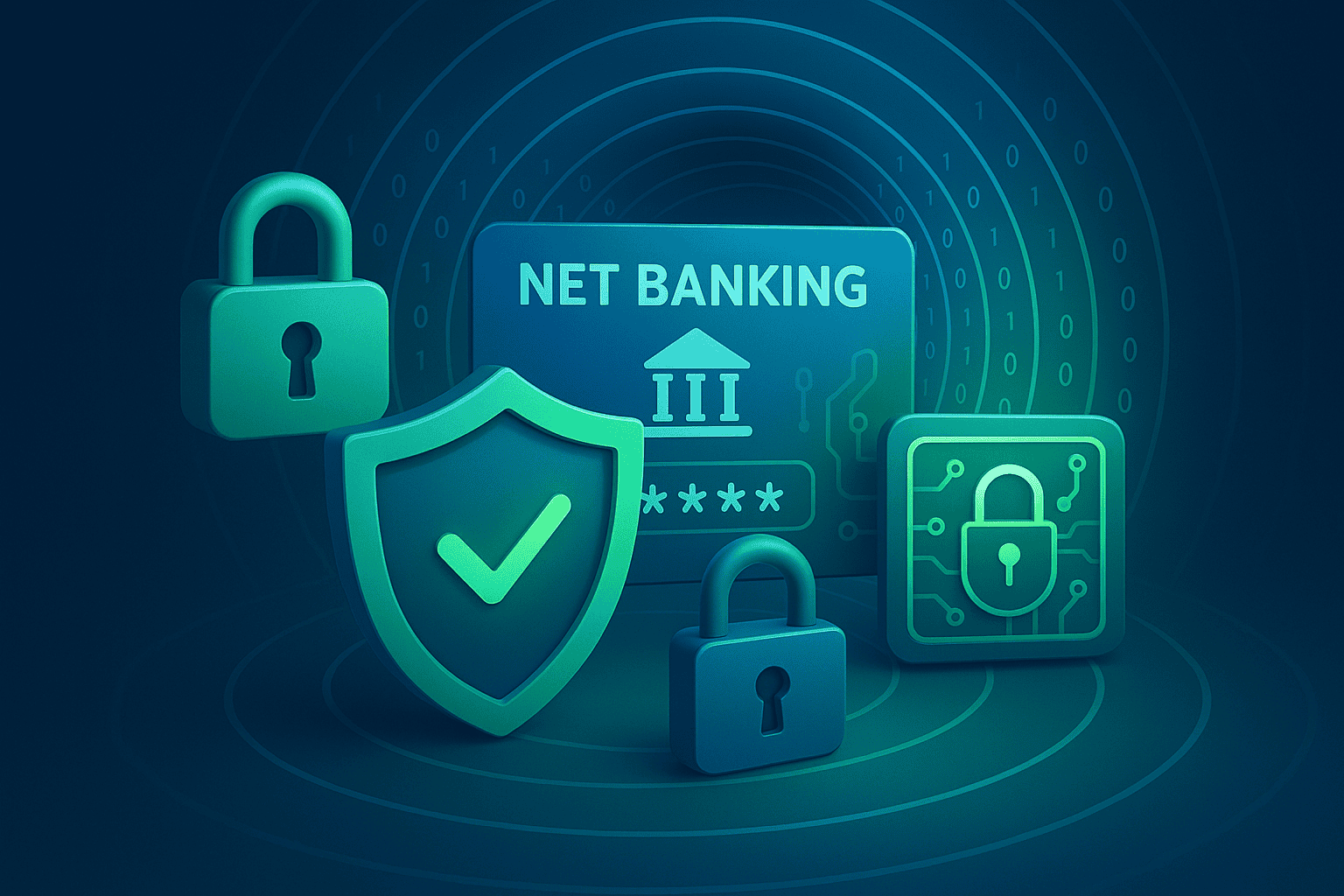
हाँ, Net Banking safe है, बशर्ते bank और user दोनों basic security rules को follow करें।
आज के time में banks advanced security systems use करते हैं, जिससे online transactions काफी secure हो चुके हैं।
Net Banking की Security कैसे काम करती है?
Encryption
Net Banking में आपकी personal और transaction related जानकारी coded (encrypted) form में transfer होती है, ताकि बीच में कोई भी उसे पढ़ या चुरा न सके।
OTP / 2FA (Two-Factor Authentication)
हर important login या transaction से पहले OTP या second verification जरूरी होता है। इससे password leak होने के बाद भी account secure रहता है।
Secure Bank Servers
Banks high-level protected servers का use करते हैं, जिन पर multiple security layers लगी होती हैं। Unauthorized access को तुरंत block किया जाता है।
Bank Security Systems
Firewall, fraud monitoring systems और real-time alerts suspicious activity को detect करके user को तुरंत notify करते हैं।
User Responsibility
Net Banking की safety में user की भी role होती है:
- Strong password use करना
- OTP कभी share न करना
- Public Wi-Fi से login avoid करना
- Official website/app ही use करना
Important Note: Net Banking की security सिर्फ bank पर नहीं, बल्कि bank + user दोनों की responsibility होती है। अगर user basic precautions follow करे, तो Net Banking पूरी तरह safe मानी जाती है।
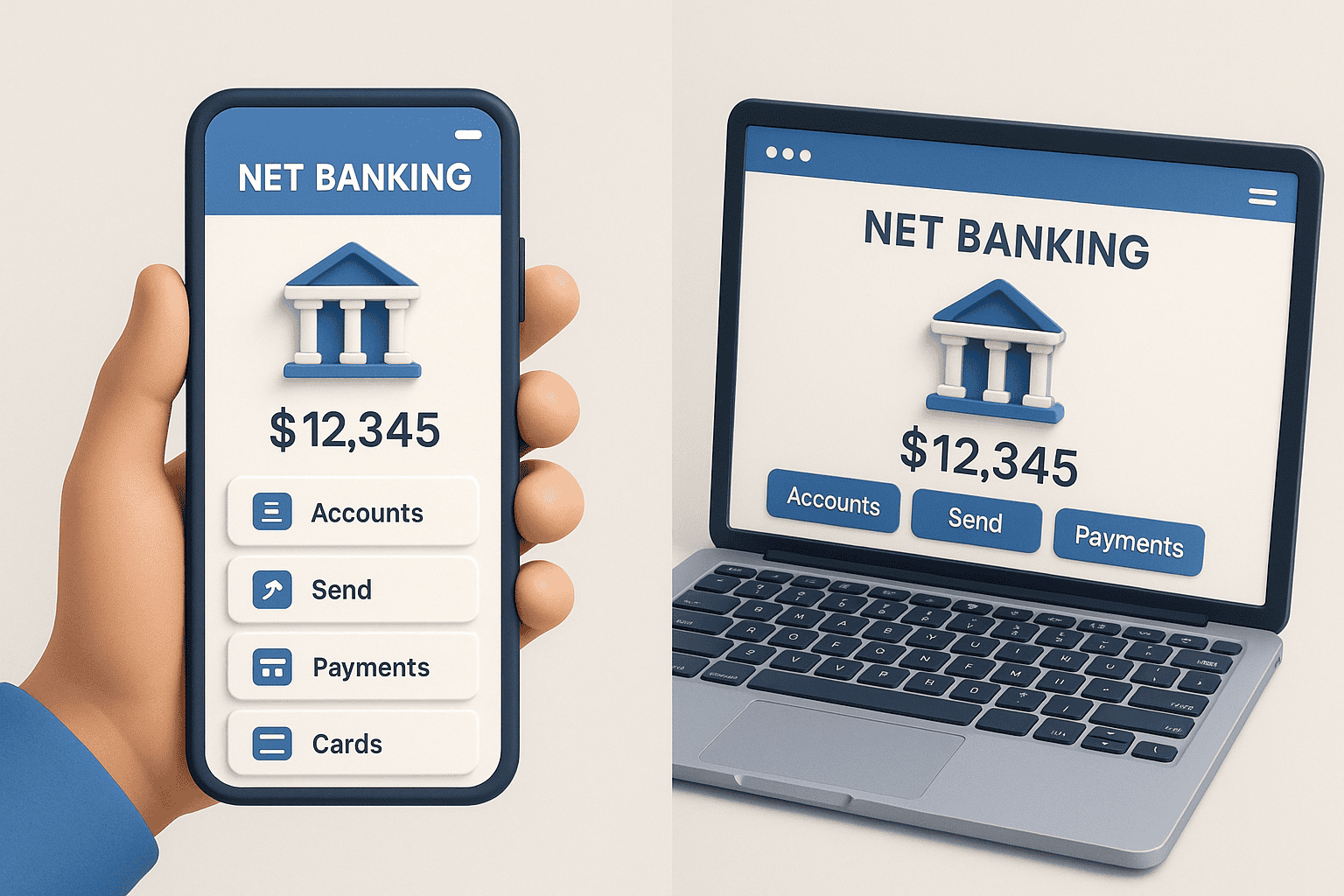
14. Net Banking vs Mobile Banking vs UPI
| Feature | Net Banking | Mobile Banking | UPI |
|---|---|---|---|
| Internet | Required | Required | Required |
| Speed | Medium | Fast | Very Fast |
| Features | All banking services | Limited services | Payments only |
| Best For | Full account control | Daily banking | Instant payments |
👉 Net Banking = Complete banking
👉 UPI = Fast payments
👉 Mobile Banking = Daily convenience
15. Net Banking से जुड़े Common Problems & Solutions
Net Banking use करते समय कई बार users को कुछ common problems face करनी पड़ती हैं। अच्छी बात यह है कि ज़्यादातर issues simple steps से आसानी से solve हो जाते हैं।
Login Error (Login नहीं हो रहा)
यह problem अक्सर wrong password या typing mistake की वजह से होती है।
- Password reset करके दोबारा try करें
- Caps Lock ON तो नहीं है, यह check करें
- सही User ID use कर रहे हैं या नहीं, verify करें
OTP Not Received (OTP नहीं आ रहा)
OTP delay होना network या temporary server issue की वजह से हो सकता है।
- Mobile network signal check करें
- SMS inbox full तो नहीं है, देखें
- 1–2 मिनट wait करके OTP resend option try करें
Transaction Failed (Payment fail हो गया)
Transaction fail होने के पीछे balance issue या beneficiary verification reason हो सकता है।
- Account balance check करें
- Beneficiary active/verified है या नहीं, देखें
- Same transaction तुरंत repeat करने से बचें
Amount Debited but Not Credited (पैसा कट गया लेकिन पहुँचा नहीं)
यह सबसे common issue है और ज़्यादातर cases में panic करने की जरूरत नहीं होती।
- 24–48 hours तक wait करें
- Bank reference number note कर लें
- अगर पैसा auto-reverse न हो, तो bank customer care से contact करें
Important: ज़्यादातर cases में पैसा automatically वापस account में credit हो जाता है।
FAQs
Q1: Net Banking क्या होता है?
Net Banking एक online banking service है, जिसके ज़रिए आप internet की मदद से balance check, money transfer, bill payment जैसे banking काम घर बैठे कर सकते हैं।
Q2: Net Banking कैसे चालू करें?
Net Banking को आप bank की official website/app से online register करके या फिर bank branch जाकर activate कर सकते हैं।
Q3: Net Banking safe है या नहीं?
हाँ, अगर strong password, OTP/2FA और secure device का use किया जाए, तो Net Banking पूरी तरह safe मानी जाती है।
Q4: Net Banking और UPI में क्या अंतर है?
Net Banking complete banking services देता है, जबकि UPI mainly fast payments और transfers के लिए use होता है।
Q5: बिना ATM card Net Banking कैसे Activate करें?
अगर आपके पास ATM card नहीं है, तो आप bank branch जाकर Net Banking registration करवा सकते हैं।
Q6: Net Banking से पैसे भेजने की limit कितनी होती है?
Money transfer limit bank और transfer type (NEFT, IMPS, RTGS) पर depend करती है।
Conclusion
Net Banking आज modern banking system का एक important हिस्सा बन चुकी है। सही तरीके और basic security precautions के साथ use करने पर Net Banking safe, fast और reliable साबित होती है।
2026 में digital transactions का future Net Banking, UPI और Mobile Banking पर ही depend करता है। इसलिए users के लिए यह ज़रूरी है कि वे smart banking habits अपनाएँ — जैसे strong passwords रखना, OTP share न करना और secure devices का इस्तेमाल करना। अगर Net Banking को सही समझ और सावधानी के साथ use किया जाए, तो यह daily banking को आसान, time-saving और stress-free बना देती है।