Introduction (परिचय)
Gmail Account को Hack होने से कैसे बचाएं आज के Digital world में Gmail Account सिर्फ Email भेजने–पाने का जरिया नहीं रहा। आपका Gmail Account आपकी Online identity का Central point बन चुका है। Bank OTP, UPI alerts, social media login, documents, Cloud data और कई important Service Gmail से Directly जुड़ी होती हैं। ऐसे में अगर Gmail Account Hack हो जाए, तो इसका असर बहुत Serious हो सकता है।
Gmail Account Hack होने पर सिर्फ Emails ही नहीं, बल्कि आपका Personal Data, OTP, Banking information और Financial Security भी खतरे में आ जाती है। कई मामलों में Hacker Gmail Access लेकर Bank Account, Social media profile और even recovery email तक change कर देते हैं, जिससे account वापस पाना मुश्किल हो जाता है। आजकल Gmail Hack होने के Case इसलिए बढ़ रहे हैं क्योंकि लोग unknowingly phishing email, fake Google alert या weak password का इस्तेमाल कर लेते हैं। Hacker Trust और Urgency का फायदा उठाकर User को trap कर लेते हैं।
इस Article में आप जानेंगे Gmail account hack क्यों Dangerous है Hack होने से पहले मिलने वाले warning signs 2026 के latest Method से Gmail Account को Safe कैसे रखें अगर आप Gmail daily use करते हैं, तो यह Guide आपको Data theft, OTP misuse और financial loss से बचाने में मदद करेगी।
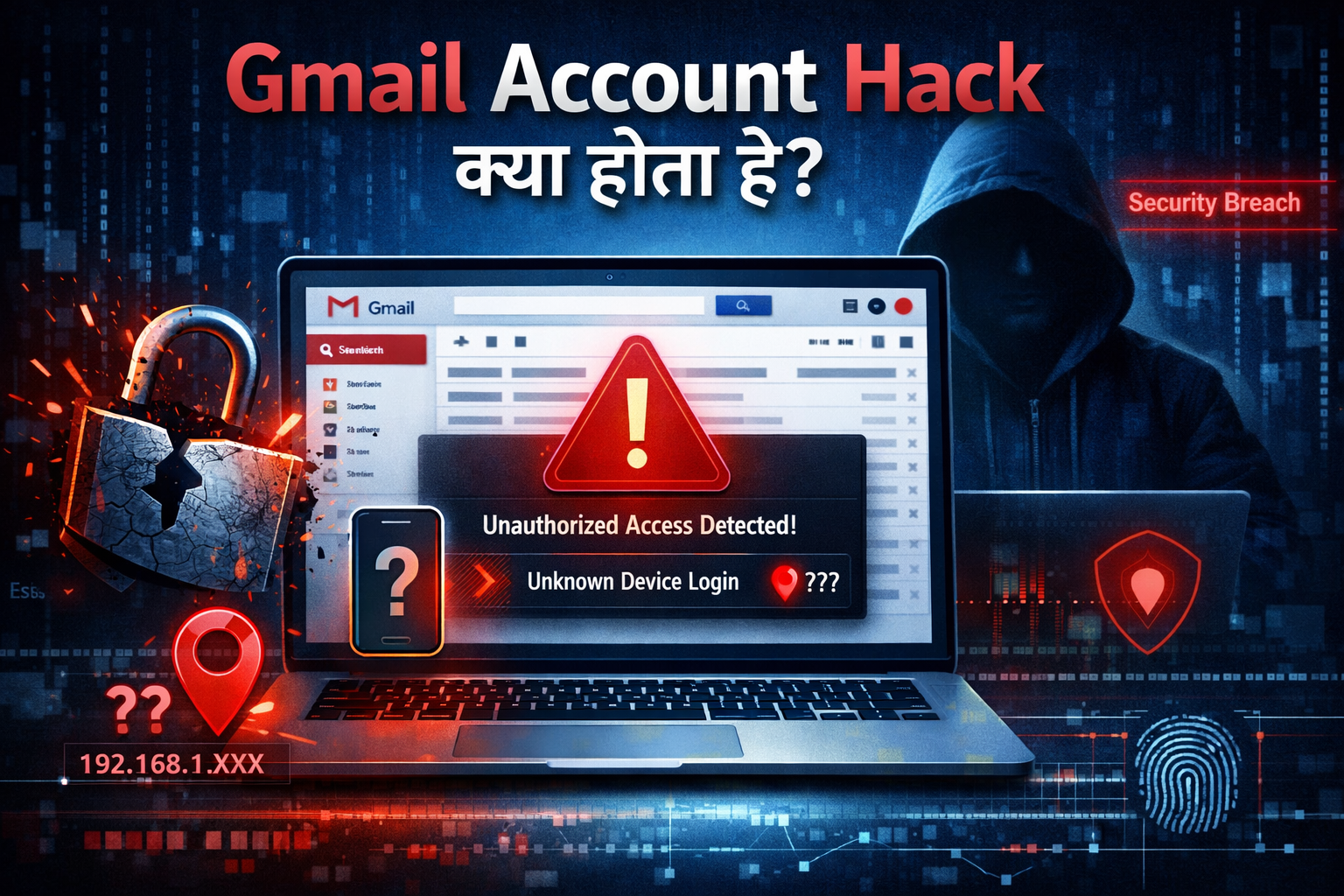
1. Gmail Account Hack क्या होता है?
Gmail Account Hack का मतलब होता है कि कोई unauthorized person आपके Gmail account का access हासिल कर ले — बिना आपकी permission के। इस situation में hacker आपके emails पढ़ सकता है, भेज सकता है, delete कर सकता है, या Account से जुड़ी दूसरी Services (जैसे Google Drive, YouTube, banking alerts) का Misuse कर सकता है। कई लोग इसे सिर्फ “Password भूल जाना” समझ लेते हैं, लेकिन दोनों में बड़ा फर्क है।
- Password भूलना = आप खुद access नहीं कर पा रहे
- Account hack होना = कोई और आपके account को control कर रहा है
आसान शब्दों में: Gmail hack होने का मतलब है आपकी digital identity पर किसी और का कब्ज़ा हो जाना।
2. Gmail Hack होने के Common Reasons
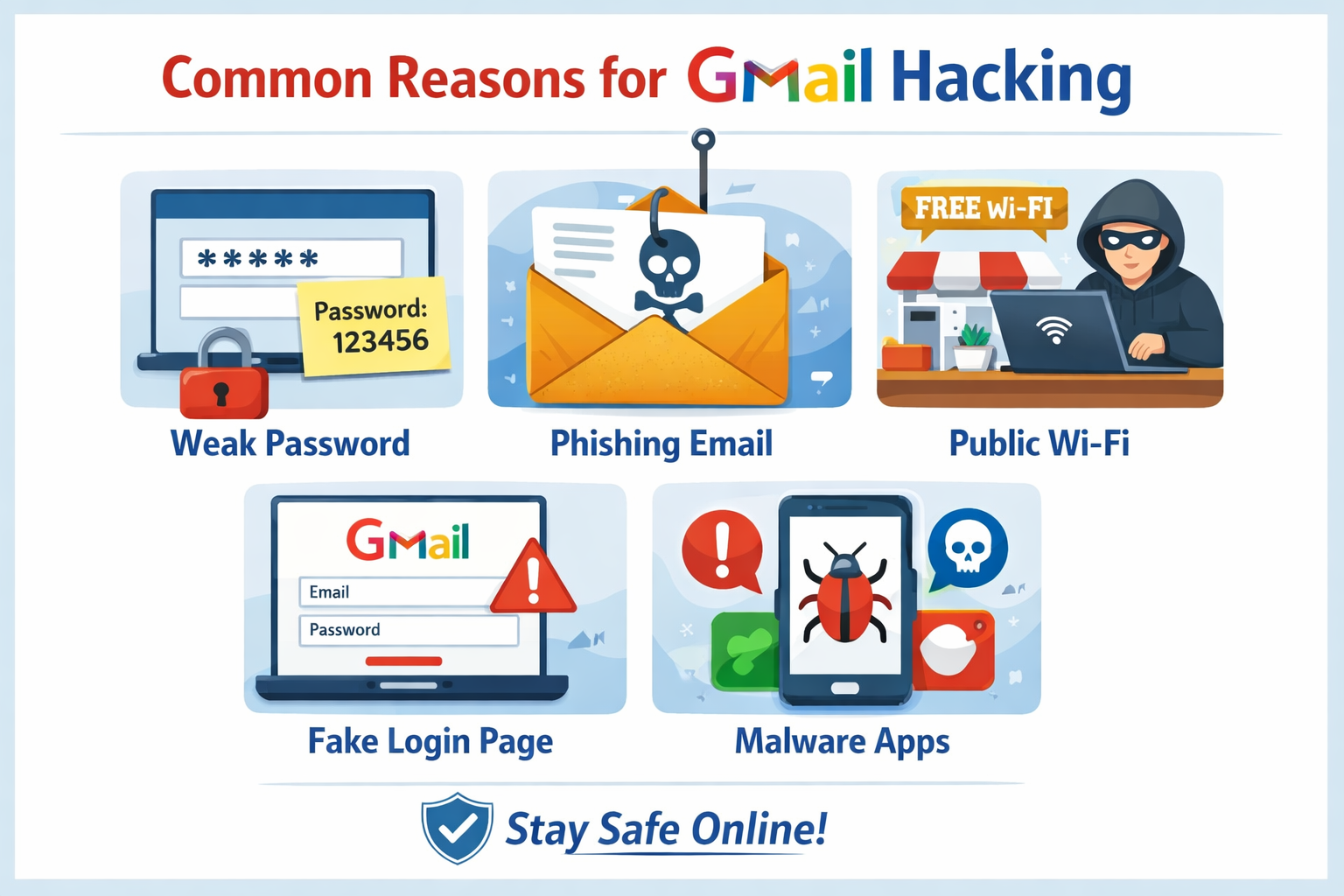
Gmail account hack होने के पीछे ज़्यादातर user-side mistakes होती हैं, न कि Gmail की security में कोई कमी। सबसे common reason है weak या reused password—अगर आप वही password multiple websites पर use करते हैं, तो एक site leak होते ही Gmail भी risk में आ जाता है। दूसरा बड़ा कारण है phishing emails और fake links, जहाँ users “Security Alert” या “Verify Account” जैसे messages पर click करके unknowingly अपना password डाल देते हैं।
Public Wi-Fi पर बिना protection Gmail login करना भी risky होता है, क्योंकि data intercept हो सकता है। कई लोग Two-Step Verification (2FA) enable नहीं करते, जिससे hacker को सिर्फ password से access मिल जाता है। इसके अलावा recovery email/phone outdated होना, third-party apps को unnecessary access देना, और malware-infected devices (pirated software, unknown extensions) भी Gmail hack का कारण बनते हैं। 2026 में attacks ज्यादा smart हो चुके हैं, इसलिए strong password, 2FA, official alerts पर ही भरोसा और regular security checkup करना बेहद जरूरी है।
Common Reasons:
- Weak password (simple या repeat password use करना)
- Phishing emails पर click करना (fake Google alerts, prize emails)
- Fake login pages पर Gmail ID enter कर देना
- 2-Step Verification (2FA) off रखना
- Unknown third-party apps को Gmail access देना
- Public Wi-Fi पर Gmail login करना without security
3. Gmail Account Hack होने के Warning Signs (पहचान)
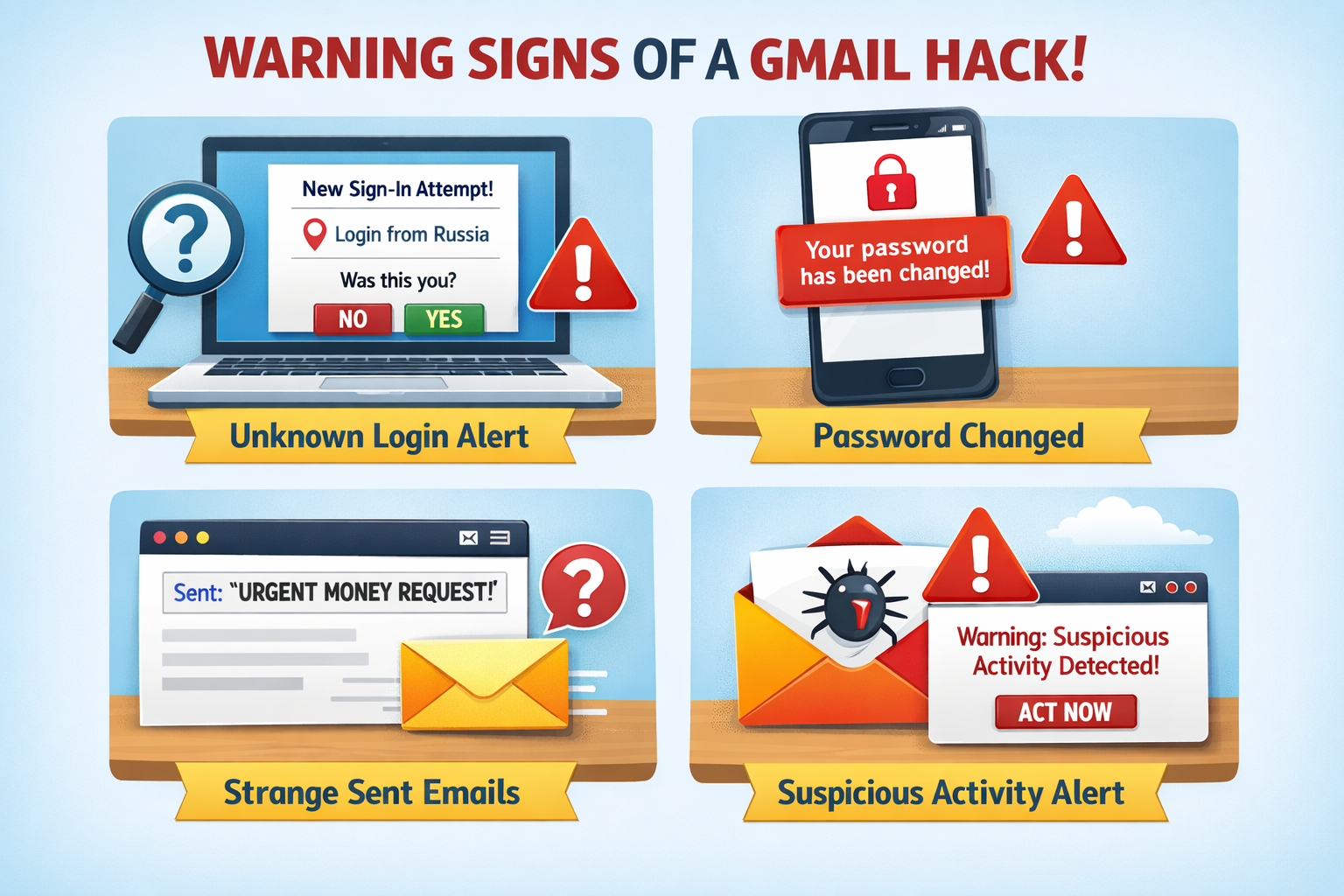
अगर आपका Gmail Account hack होने वाला है या हो चुका है, तो Google कुछ Warning signs दिखाता है जिन्हें ignore नहीं करना चाहिए। सबसे Common sign है कि आपके sent folder में ऐसे emails दिखें जो आपने भेजे ही नहीं, या friends आपसे Spam mails की शिकायत करें। अचानक password change Notification आना, बिना आपकी Request के OTP या security alert emails मिलना भी खतरे का संकेत है।
कई बार Gmail में Unknown Devices या Locations से login alert दिखता है, जैसे किसी और city या country से access। Recovery email या phone number अगर आपकी permission के बिना change हो जाए, तो यह serious warning sign है। इसके अलावा Gmail settings में unknown filters, forwarding address या third-party app access दिखना भी hack का clear indication होता है।
2026 में attacks ज्यादा smart हो चुके हैं, इसलिए अगर Gmail slow behave करे, login बार-बार fail हो या Google “Suspicious Activity Detected” alert दिखाए, तो तुरंत security checkup करना और password Change करना बहुत जरूरी है।
4. Strong Password कैसे बनाएं? (Most Important)
Strong password Gmail security की foundation होता है। Weak password सबसे बड़ा reason है जिसके कारण accounts hack होते हैं।
Strong Password बनाने के Rules:
- Password कम से कम 12–16 characters का रखें
- Capital letters (A–Z), small letters (a–z), numbers (0–9) और symbols (!@#) का mix करें
- Name, DOB, mobile number या “123456” जैसे easy patterns avoid करें
- Same password multiple websites पर use न करें
Example (safe pattern): Gm@il#Safe2026!
अगर याद रखना मुश्किल लगता है, तो password manager का use करना सबसे best option है।
5. 2-Step Verification (2FA) कैसे ON करें?
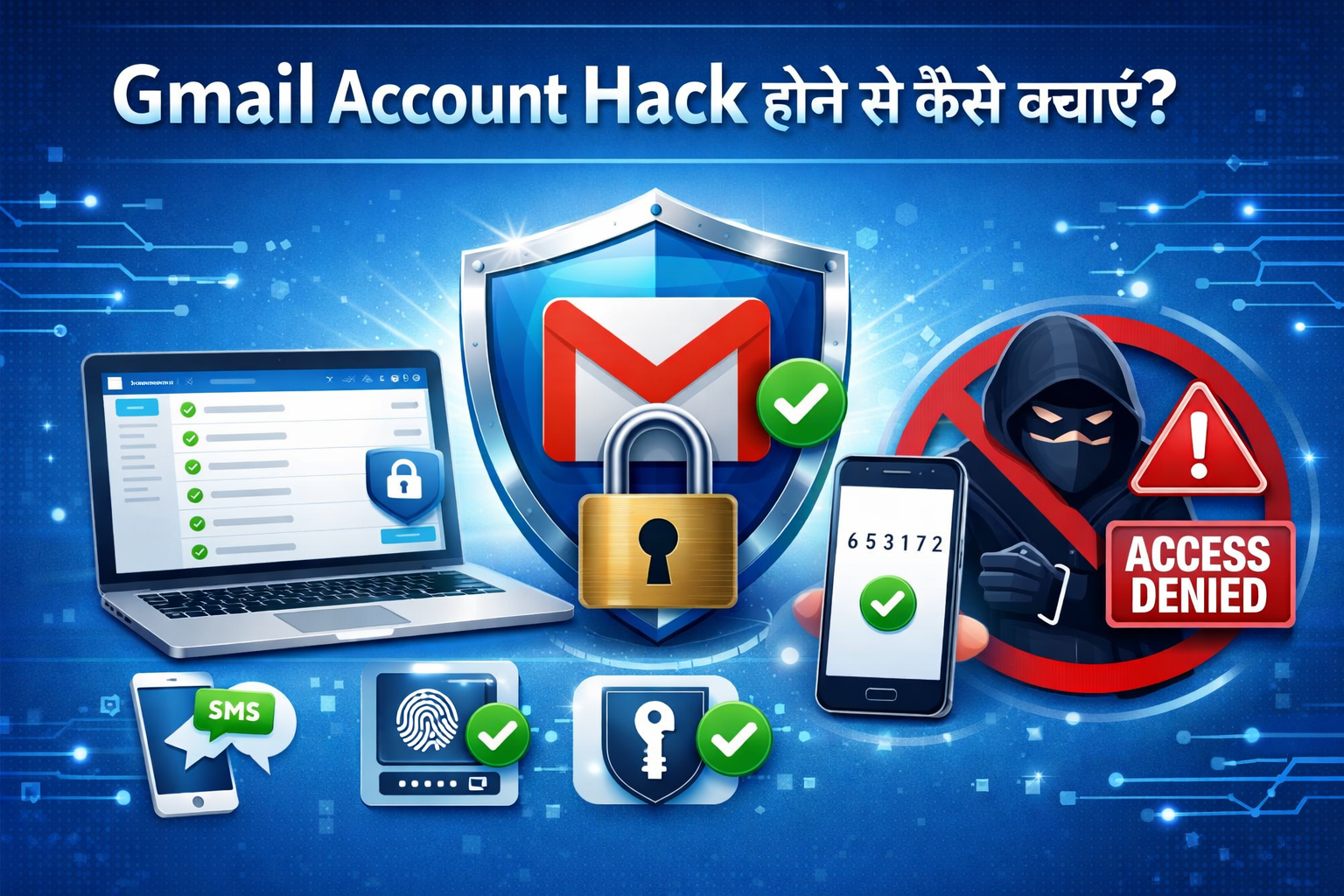
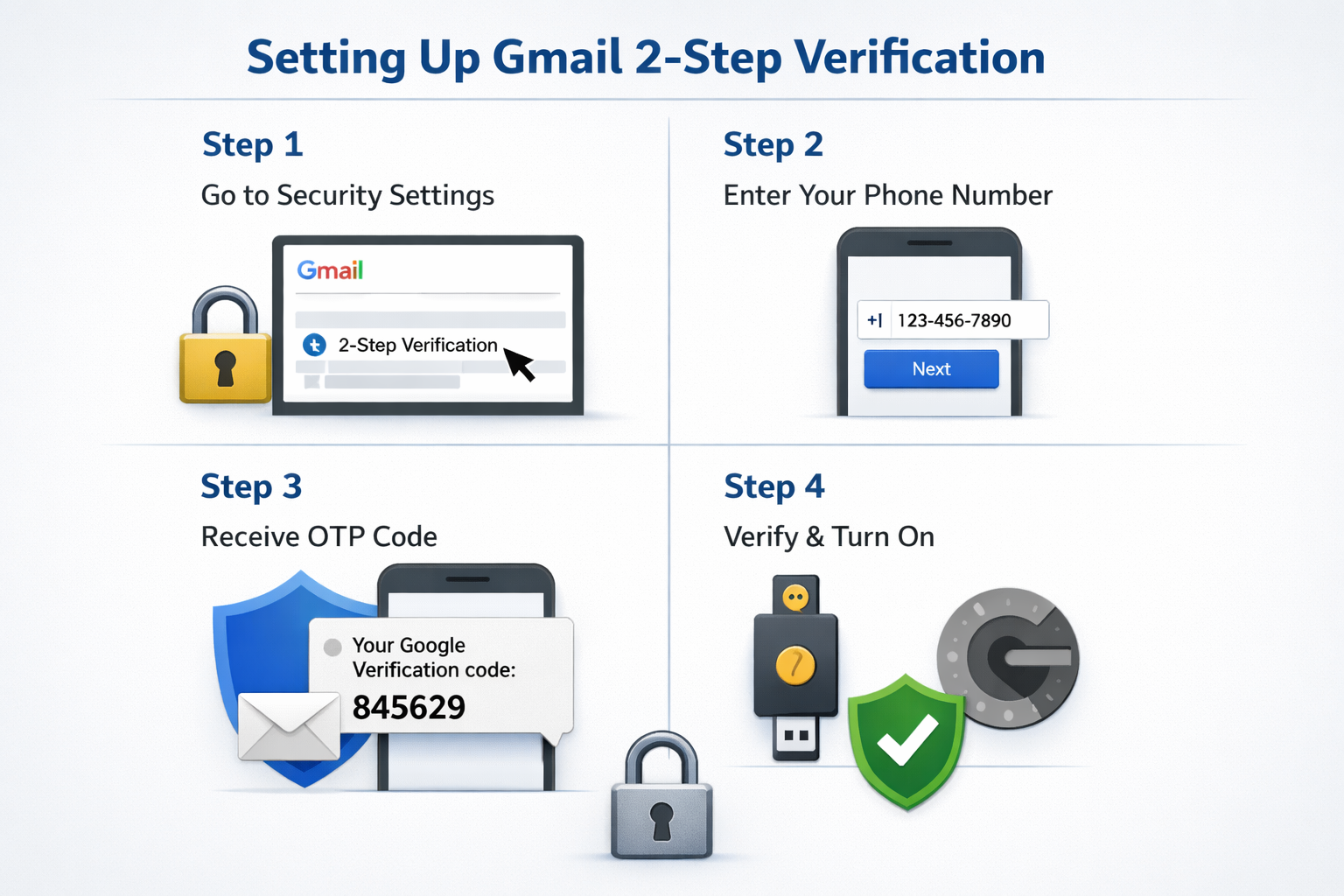
2-Step Verification (2FA) ON करना आपके Gmail/Google account को extra security देता है, क्योंकि login के समय सिर्फ password ही नहीं बल्कि second verification (OTP, prompt या app) भी required होती है। 2FA ON करने के लिए Google Account में login करें, Security section खोलें और “Signing in to Google” के अंदर 2-Step Verification पर जाएँ।
यहाँ पहले Password Confirm करें, फिर Verification Method Choose करें—जैसे Google Prompt, SMS/Call OTP, या Authenticator App। Method select करने के बाद instructions follow करें और Turn On पर tap/click करें। Setup Complete होते ही Next login पर आपको Second Step Verify करना होगा, जिससे Phishing, Password leak या unauthorized access का risk काफी कम हो जाता है। 2026 में cyber Attacks ज्यादा Smart हो चुके हैं, इसलिए 2FA ON रखना Strong Password जितना ही जरूरी है।
6. Google Security Checkup कैसे करें? (Step-by-Step)
Google Security Checkup एक Official Tool है जो आपके Google/Gmail account की security को quickly Review करता है और Weak Points बताता है। इसे करने के लिए सबसे पहले अपने Google Account में login करें, फिर Manage your Google Account → Security Section में जाएँ और “Security Checkup” पर Click करें। अब step-by-step Google आपको check करवाएगा:
- Devices Check करें – यहाँ दिखेगा कि किन Devices से आपका Account login है; अगर कोई Unknown device दिखे तो उसे तुरंत Remove करें।
- Recent Security Activity Review करें – Recent logins, password changes या suspicious Attempts देखें; कुछ unfamiliar लगे तो action लें।
- Third-Party App Access Check करें – जिन apps/websites को Gmail या Google access दिया है, उन्हें Review करें और Unnecessary apps Remove Access करें।
- Recovery Info Verify करें – Recovery email और phone number सही और active हैं या नहीं, Confirm करें।
- 2-Step Verification Status देखें – अगर 2FA OFF है तो Google इसे ON करने की recommendation देगा; इसे जरूर enable करें।
Checkup पूरा होते ही Google आपको overall security status दिखा देगा और improvements suggest करेगा। 2026 में cyber attacks ज्यादा smart हो चुके हैं, इसलिए experts recommend करते हैं कि हर 2–3 महीने में Google Security Checkup जरूर करें, ताकि Gmail hack, unauthorized access और data misuse से पहले ही बचाव हो सके।
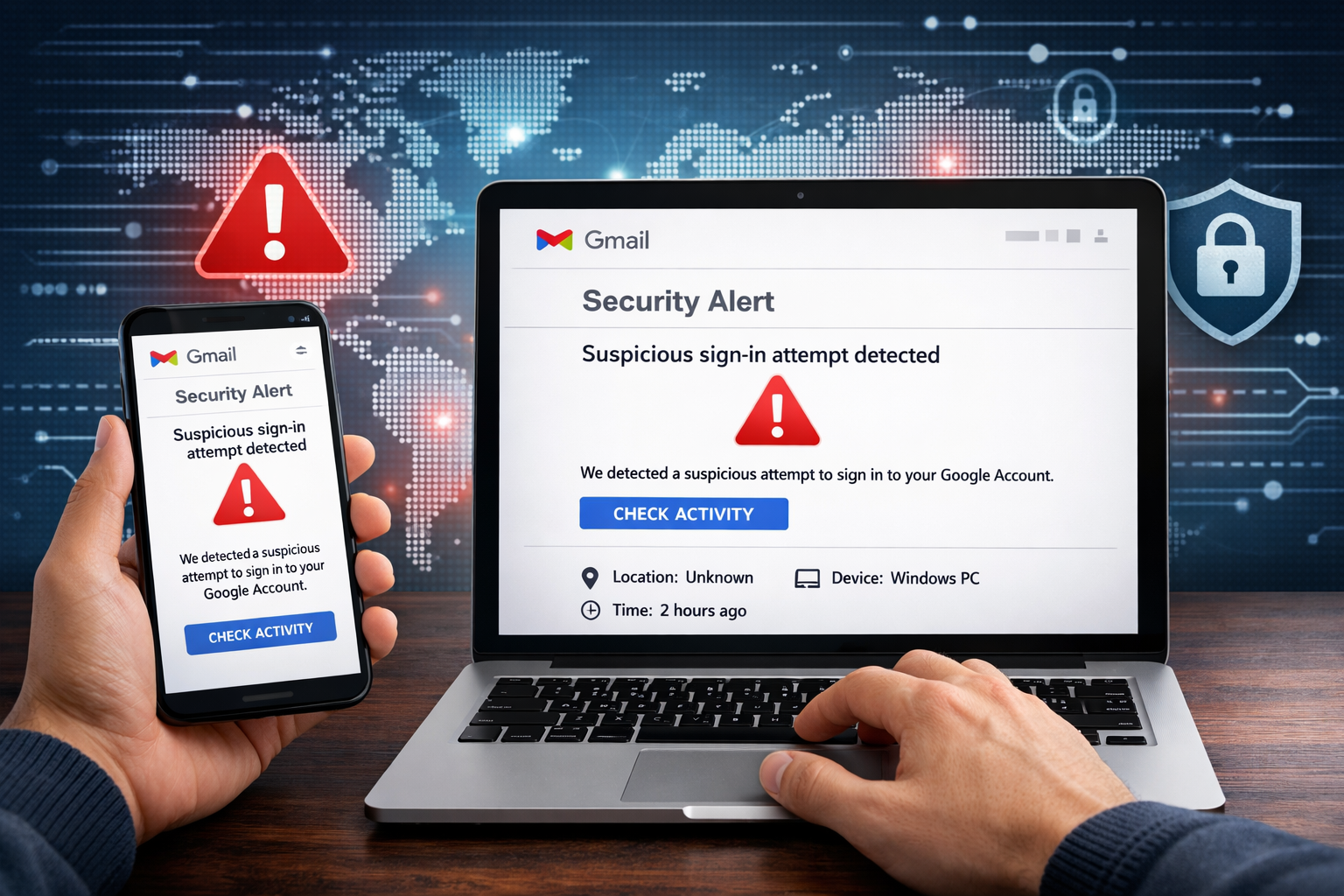
7. Gmail Account पर Security Alert क्या है?
Gmail Account पर Security Alert Google द्वारा भेजा गया एक Warning Message होता है, जो यह बताता है कि आपके Account में कोई unusual या suspicious activity detect हुई है। यह Alert तब आता है जब Google को लगे कि किसी unknown device, new location, unusual time या Risky Behavior से आपके Gmail में login की कोशिश हुई है, या Password Change, Recovery info Update, 2-Step Verification Change जैसी Activity हुई है।
Security Alert का main purpose आपको time रहते inform करना होता है, ताकि अगर activity आपने नहीं की है तो तुरंत Action लिया जा सके। इस alert में आमतौर पर “Was this you?” जैसा message होता है और options दिए जाते हैं जैसे Yes, it was me या No, secure my account।
2026 में Cyber Attacks और phishing attempts बढ़ चुके हैं, इसलिए Gmail Security Alert को कभी ignore नहीं करना चाहिए—अगर activity आपकी नहीं है, तो तुरंत Password Change करना, 2FA enable करना और Google Security Checkup run करना सबसे Safe step माना जाता है।
Security Alert आने पर तुरंत क्या करें? (Step-by-Step)
अगर आपके Gmail/Google account पर Security Alert आता है, तो सबसे जरूरी बात है panic न करना और तुरंत सही steps follow करना। सबसे पहले alert message को ध्यान से पढ़ें और देखें कि activity आपने खुद की है या नहीं। अगर alert में दिख रही login, password change या device activity आपकी नहीं है, तो नीचे दिए गए steps तुरंत follow करें:
- “No, secure my account” पर click करें – इससे Google security process start कर देता है।
- Password तुरंत change करें – Strong और unique password set करें, जो कहीं और use न हो।
- 2-Step Verification (2FA) ON करें – इससे future unauthorized access रुकता है।
- Devices & Sessions check करें – Unknown devices को account से remove करें।
- Third-party app access review करें – Unnecessary apps/websites की access revoke करें।
- Recovery email और phone number verify करें – ताकि account recovery safe रहे।
- Google Security Checkup run करें – Complete security review के लिए।
अगर Alert आपकी Own activity की थी, तो “Yes, it was me” select कर सकते हैं, लेकिन फिर भी security Checkup करना Recommended है। 2026 में phishing और Hacking attempts ज्यादा advanced हो चुके हैं, इसलिए Security Alert को ignore करना risky हो सकता है—time पर action लेने से Gmail hack और data misuse से आसानी से बचा जा सकता है।
8. Phishing Emails से कैसे बचें?
Phishing emails Gmail hack का सबसे common तरीका हैं। ये emails दिखने में बिल्कुल original लगते हैं, जैसे Google, bank या courier company से आए हों।
Fake Email पहचानने के तरीके:
- Subject में urgent language: “Account block हो जाएगा”, “Verify now”
- Sender email address थोड़ा अलग होना (support@goog1e.com)
- Grammar mistakes या generic greetings (“Dear User”)
- Email में login / verify करने का link
❌ Dangerous Links:
- Link पर hover करने पर suspicious URL दिखे
- Shortened links (bit.ly आदि) Rule याद रखें: Link पर click करने से पहले सोचें Google कभी email में password या OTP नहीं मांगता।
9. Recovery Email & Phone Number Update रखें
Recovery Email और Phone Number हमेशा update रखना Gmail account security का एक बहुत important हिस्सा है, क्योंकि यही Details Account Hack, Password भूल जाने या security alert के समय account recover करने में मदद करती हैं। अगर Recovery Email या Phone Number old, inactive या गलत है, तो OTP, Verification link या Security alert आप तक पहुँच ही नहीं पाएगा, जिससे account permanently locked होने का risk बढ़ जाता है।
2026 में Hacking Attempts और Phishing Attacks ज्यादा Smart हो चुके हैं, इसलिए Experts recommend करते हैं कि Recovery Details regularly verify और update करते रहें, खासकर जब आप Mobile number Change करें या नया email Use करने लगें। Updated Recovery information होने से Google को यह confirm करने में आसानी होती है कि Account का Real Owner आप ही हैं, और Emergency situation में आपका Gmail जल्दी और Safely Recover हो सकता है।
10. Suspicious Devices & Sessions Remove करें
अगर आपके Gmail/Google account में suspicious devices या unknown sessions active रह जाते हैं, तो Account Security Seriously Risk में आ सकती है। कई बार Public computer, old mobile या किसी Unfamiliar location से login होने के बाद Session automatically Logout नहीं होता, जिससे unauthorized Access possible हो जाता है। इसलिए Google Account के Security → Your devices / Manage devices Section में जाकर Regularly Check करना जरूरी है कि कौन-कौन से Devices से आपका account logged in है।
अगर list में कोई unknown device, old phone या unfamiliar location दिखे, तो उसे तुरंत Sign out / Remove कर दें और साथ ही password change करना best practice माना जाता है। 2026 में attacks ज्यादा advanced हो चुके हैं, इसलिए suspicious devices और sessions को timely remove करने से Gmail hack, data misuse और privacy breach से काफी हद तक बचाव किया जा सकता है।
11. Third-Party App Access कैसे Remove करें?
Third-Party App Access remove करने के लिए अपने Google Account में login करें, फिर Security section खोलें और “Third-party apps with account access” पर जाएँ। यहाँ जिन apps/websites की जरूरत नहीं है, उन्हें select करके Remove Access पर click कर दें। Unnecessary app access हटाने से Gmail और Google account ज्यादा safe और secure हो जाता है।
12. Gmail Filters & Forwarding Rules Check करें
Gmail Filters & Forwarding Rules check करने के लिए Gmail open करें, Settings → See all settings → Filters and Blocked Addresses और Forwarding and POP/IMAP tabs में जाएँ। यहाँ कोई unknown filter (जो emails delete, archive या forward कर रहा हो) या unknown forwarding address दिखे तो उसे तुरंत remove/disable कर दें। इससे Gmail में hidden forwarding या data misuse से बचाव होता है
13. Public WiFi पर Gmail Use करते समय सावधानी
Public WiFi पर Gmail use करते समय हमेशा सावधान रहें, क्योंकि ऐसे networks secure नहीं होते। Login करने से पहले 2-Step Verification (2FA) ON रखें, unknown links या attachments open न करें और काम पूरा होते ही logout जरूर करें। Public WiFi पर password change या sensitive settings update करने से बचें और browser history/session clear करना बेहतर रहता है।
🔹 14. Gmail App & Browser Security Tips
📱 App Security:
-
Sirf official Gmail app use करें
-
Unknown modded apps avoid करें
🌐 Browser Security:
-
Browser updated रखें
-
Suspicious extensions remove करें
-
Autofill passwords public system पर off रखें
15. Gmail Hack हो जाए तो क्या करें?
अगर आपका Gmail account hack हो जाए, तो तुरंत ये steps follow करें सबसे पहले password तुरंत change करें और नया password strong व unique रखें। इसके बाद 2-Step Verification (2FA) ON करें ताकि आगे unauthorized login न हो सके। Security → Your devices में जाकर सभी unknown devices/sessions remove करें और third-party app access revoke करें। फिर Recovery email और phone number verify/update करें और अंत में Google Security Checkup run करें। इन steps को जल्दी करने से account सुरक्षित हो जाता है और data misuse का risk कम हो जाता है।
Gmail Account Recovery Process
अगर आपका Gmail account access नहीं हो रहा या hack हो गया है, तो recovery के लिए सबसे पहले accounts.google.com/recovery पर जाएँ। यहाँ अपना email address डालें और instructions follow करें। Google आपसे last password, OTP (registered phone/email), या account-related questions पूछ सकता है ताकि ownership verify हो सके।
सही details देने पर आपको password reset का option मिल जाता है। Recovery के बाद तुरंत 2-Step Verification (2FA) ON करें, unknown devices remove करें और recovery email/phone update करें ताकि future में account फिर से safe रहे।
16. Gmail Security से जुड़े Common Myths
Gmail Security से जुड़े कई myths ऐसे हैं जिनकी वजह से लोग गलत decisions ले लेते हैं और account risk में डाल देते हैं। सबसे common myth यह है कि “Gmail hack नहीं होता”, जबकि reality यह है कि Gmail की security strong है, लेकिन user mistakes की वजह से account compromise हो सकता है। दूसरा myth है कि “Antivirus install करने से सब safe हो जाता है”—antivirus helpful होता है, लेकिन phishing links, fake login pages और weak passwords से पूरी तरह नहीं बचा सकता।
कई लोग मानते हैं कि “Google कभी security alert नहीं भेजता”, जबकि Google official security alerts और login warnings भेजता है। एक और myth है कि “2-Step Verification optional है”—असल में 2026 में 2FA account safety के लिए almost essential हो चुका है। इसके अलावा यह भी गलतफहमी है कि “Public Wi-Fi safe होता है” या “Third-party apps harmless होते हैं”—जबकि ये दोनों Gmail security के लिए risk बन सकते हैं। सही जानकारी और safe practices अपनाने से ही Gmail account truly secure रहता है।
👉 Truth: Awareness + Security features = Real protection
17. Gmail Account Security 2026 – Expert Tips
FAQs
1 Gmail hack से बचने का सबसे आसान तरीका?
Strong password + 2-Step Verification (2FA) ON रखें।
2 Phishing email से कैसे बचें?
Unknown links पर click न करें, sender email जरूर check करें।
3 Public Wi-Fi पर Gmail safe है?
Avoid करें; अगर जरूरी हो तो 2FA ON रखें और logout करें।
4 Third-party apps risky होते हैं?
हाँ, unnecessary apps की access तुरंत remove करें।
5 Gmail security कैसे check करें?
Google Security Checkup regularly run करें।
Conclusion
Gmail Account को Hack होने से कैसे बचाएं? आज के Time में Gmail account security को lightly लेना Risky हो चुका है, क्योंकि phishing, fake alerts और Hacking techniques लगातार Advance हो रही हैं। अगर आप strong और unique password, 2-Step Verification (2FA), regular Google Security Checkup, और recovery email व phone number updated रखते हैं, तो Gmail hack होने का risk काफी हद तक कम हो जाता है।
Unknown devices, suspicious sessions और unnecessary third-party app access को समय-समय पर remove करना भी बहुत जरूरी है। याद रखें, Gmail की security strong है, लेकिन user awareness ही सबसे बड़ा protection है। सही habits और timely action अपनाकर आप 2026 में भी अपने Gmail account को safe, secure और worry-free रख सकते हैं।
आज ही अपना Google Security Checkup करें, 2FA ON रखें और अपने Gmail account को 2026 में पूरी तरह Safe और Secure बनाएं।